
Link Building Workflow
Turn your backlink data into a working outreach pipeline. Find the sites that link to your competitors but not to you, spot broken links worth replacing, track every conversation and get reminded when a follow-up is due — all inside the website you are already tracking.
Link Gap Analysis
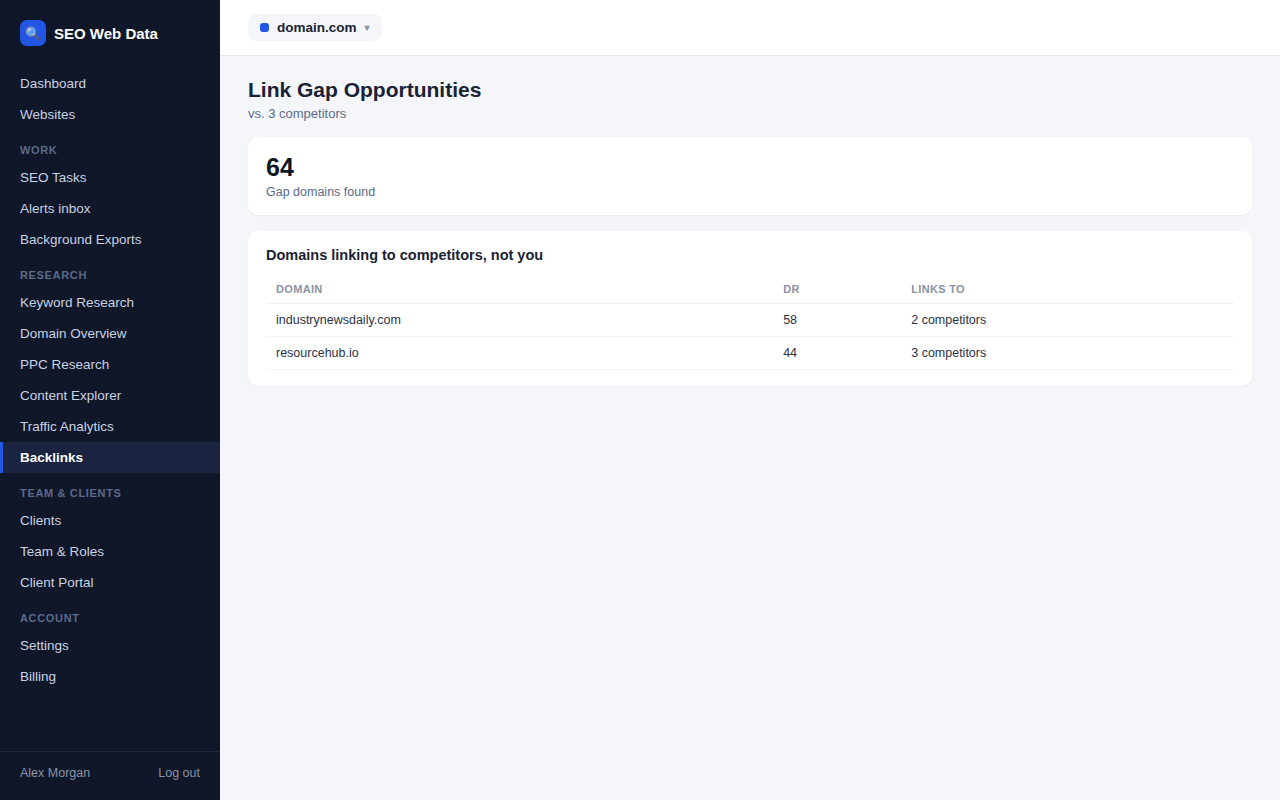
Find every site that links to your competitors but not to you, ranked by how many rivals they link to, and add the best prospects to your pipeline in one click.
- Sites linking to at least one competitor but not to you
- How many competitors link, and which ones
- Authority score from the backlink data, clearly labelled
Broken-link opportunities
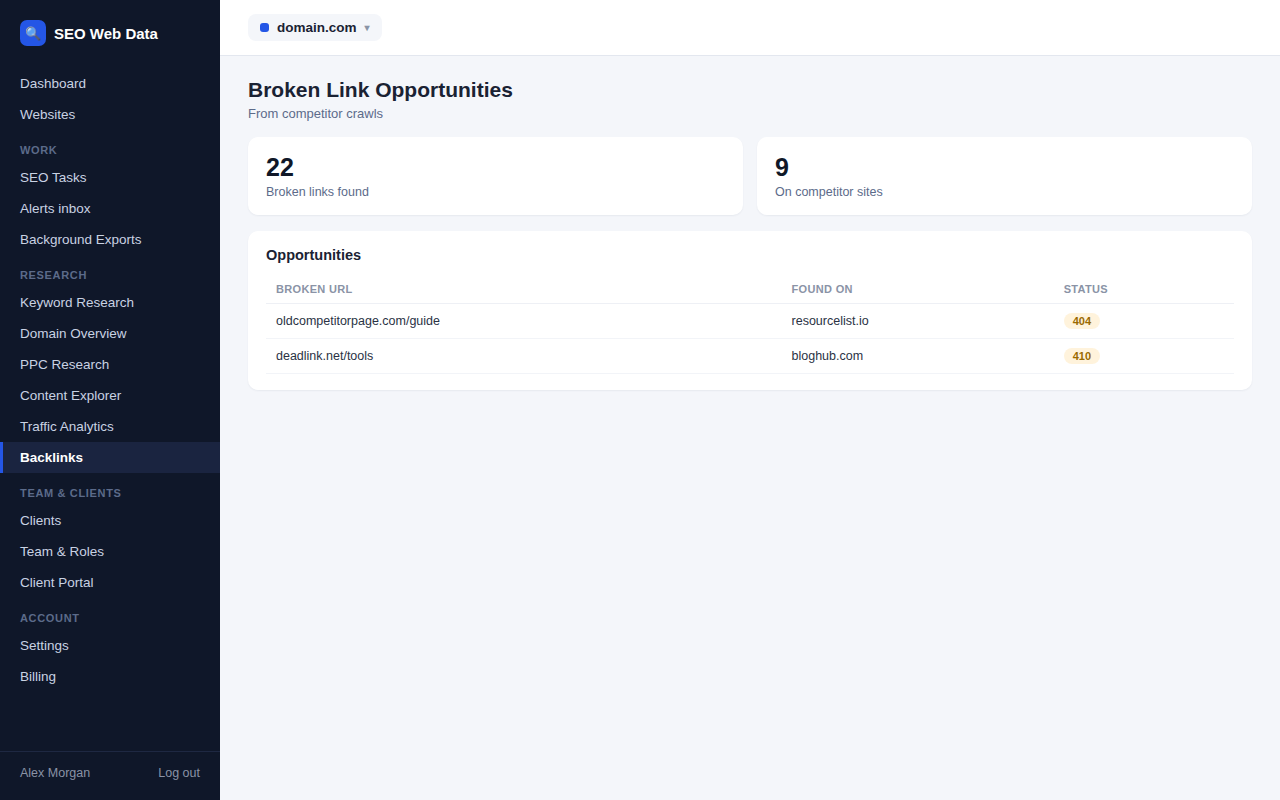
Find pages linking to competitor content that no longer exists, then offer your own page as a replacement. Dead links on your own site are listed as fixes.
- Competitor pages found dead (404 or 410) in their latest crawl
- Linking pages matched from stored backlinks
- Anchor text, nofollow flag and authority for each
Outreach pipeline
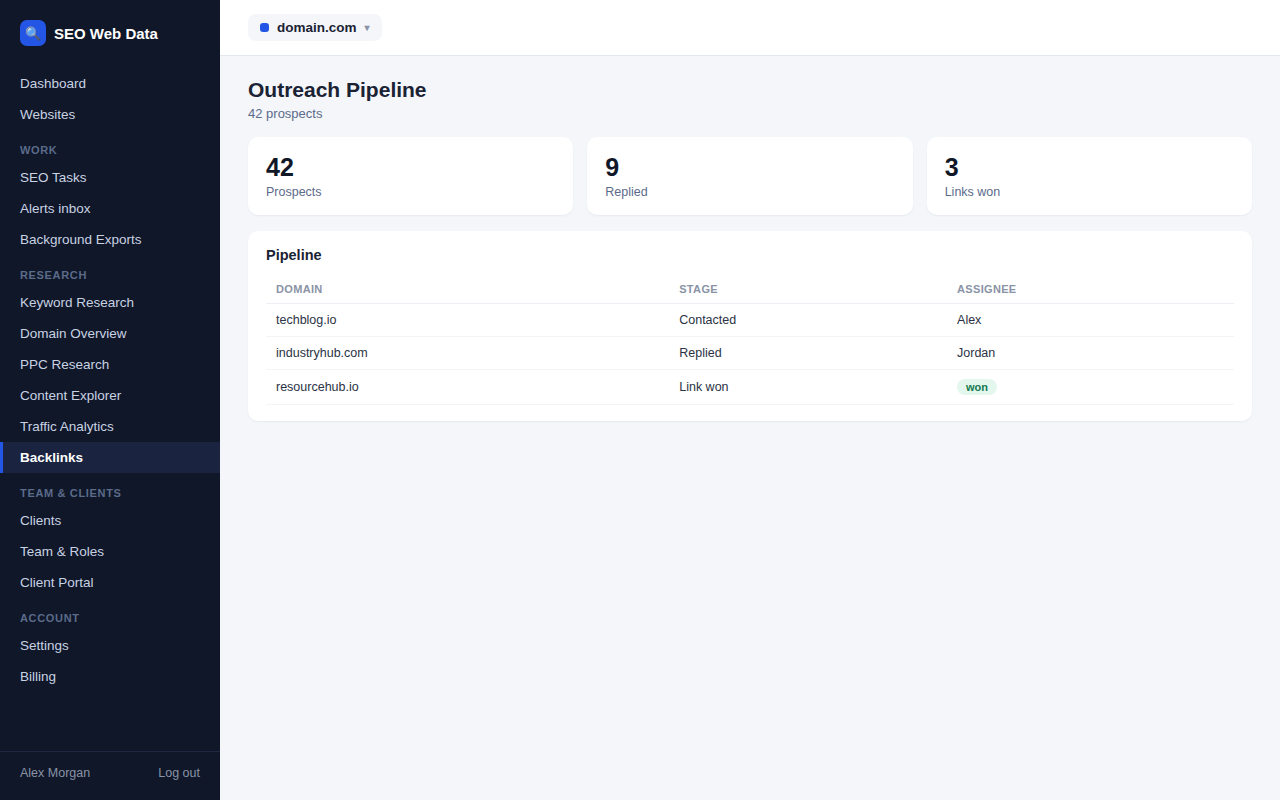
Track every prospect from first idea to won link, with statuses, contacts, priorities, assignees and a timeline of what was sent and said.
- Six statuses: prospect, contacted, replied, link won, lost, not relevant
- Contact name, email and contact-page address
- Their page, your page to suggest and the live link
Follow-up reminders
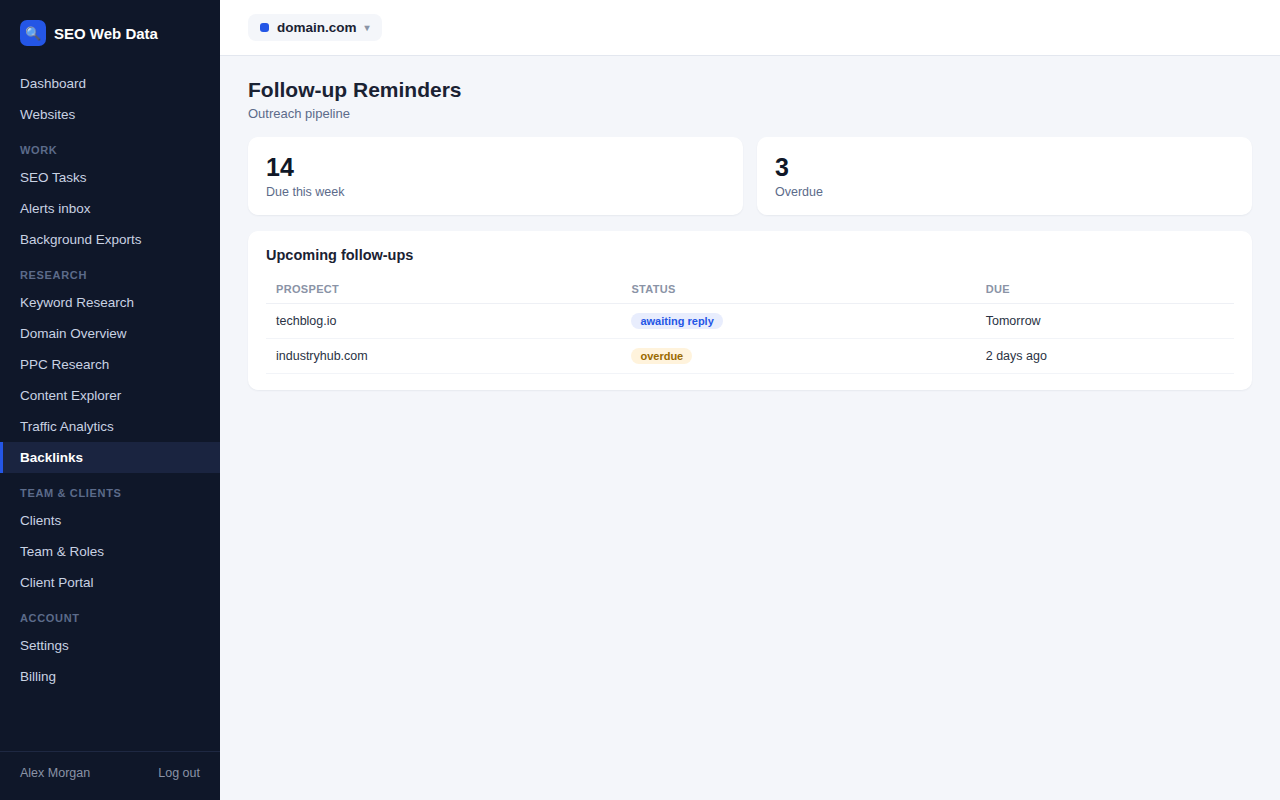
A follow-up date is set when you contact a prospect, an alert arrives when it is due, and a note is added when the link seems to appear.
- Follow-up date set seven days ahead when you contact a prospect
- Overdue follow-ups highlighted in red and counted
- A daily check that raises an alert for each due follow-up
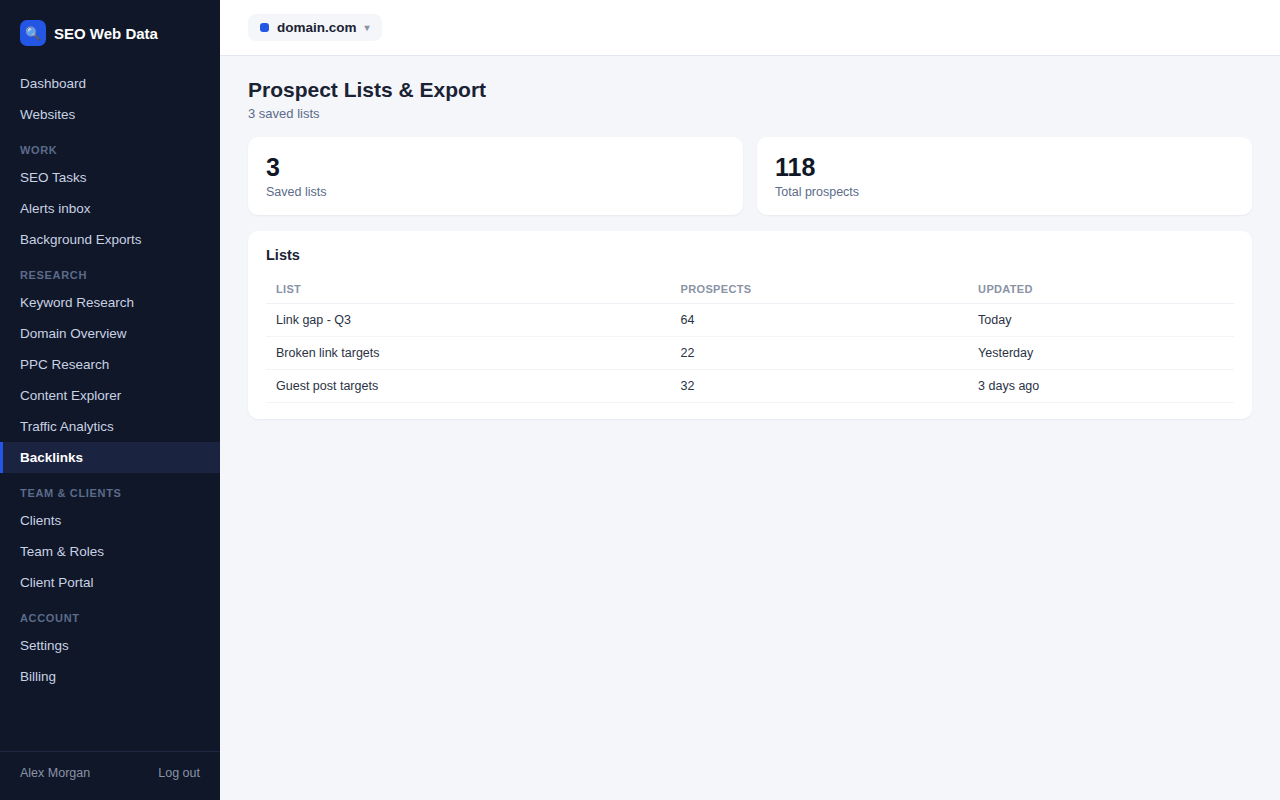
Prospect lists & export
Group prospects into campaign lists, turn any prospect into an SEO task in one click and export your whole pipeline to CSV.
- Up to 50 lists per website, named for your campaigns
- File prospects under a list when you add them
- One-click SEO task for any prospect, without duplicates
Brand mentions monitor
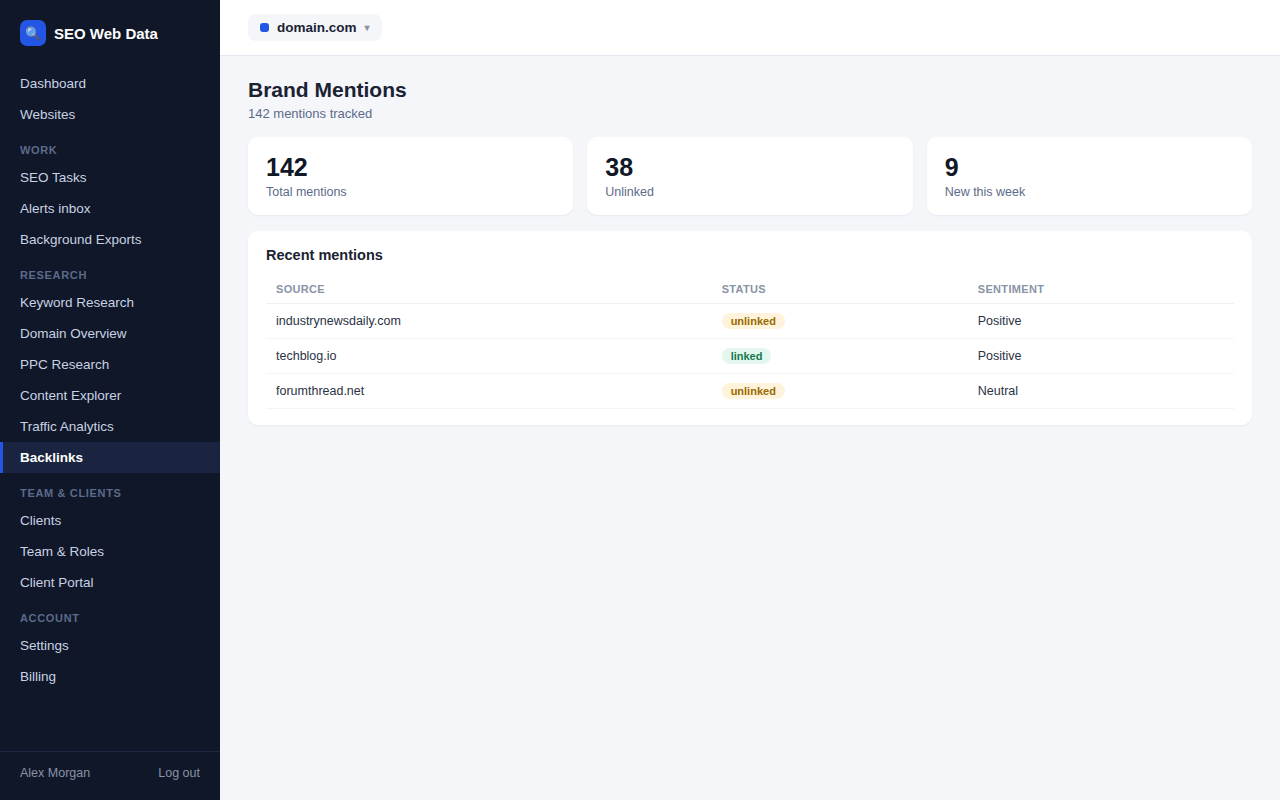
Find places your brand is mentioned but not linked to, then turn each one into an outreach prospect with one click.
- Ongoing brand mention monitoring
- Linked vs. unlinked status per mention
- One click into your outreach pipeline
Social mentions & outreach
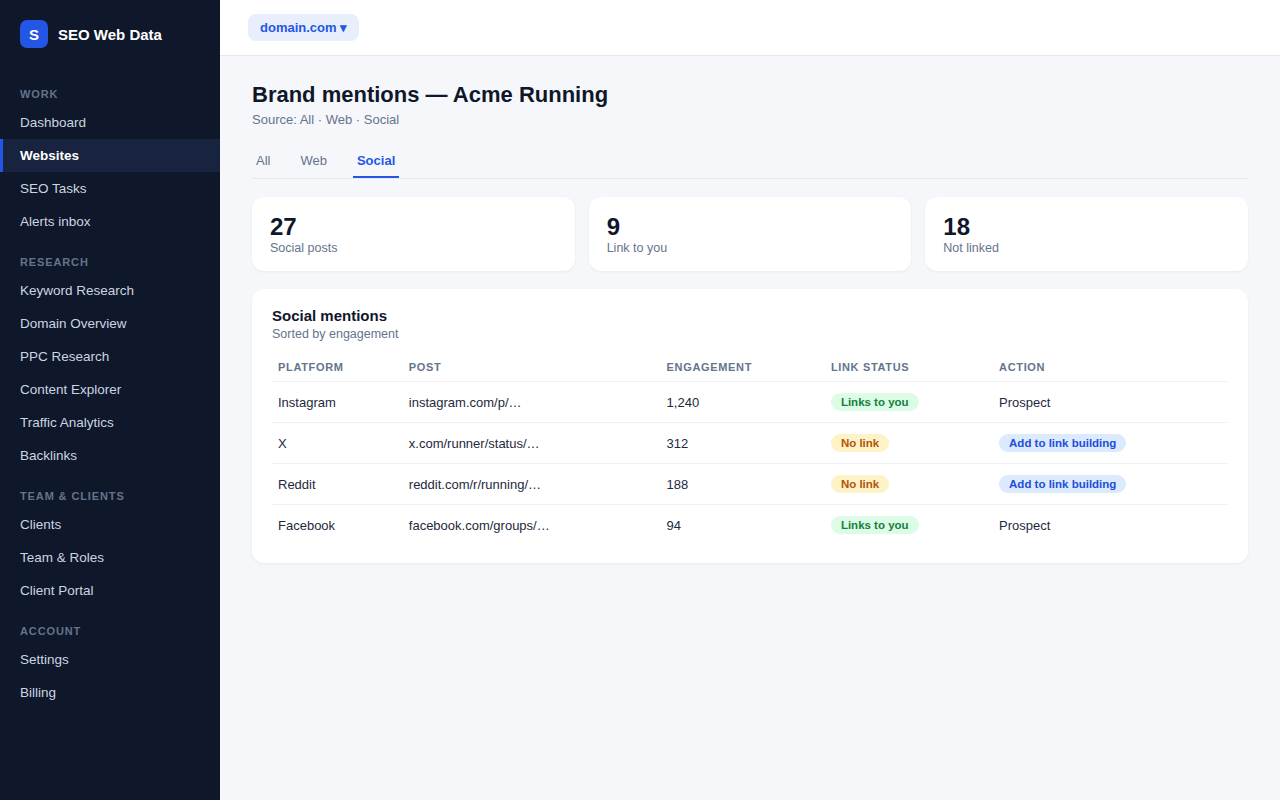
Social posts that mention your brand appear beside web mentions, with engagement counts and a social signal on each page. Turn them into outreach prospects.
- Web and social mentions in one list
- Social signal per page of your site
- Social prospects saved with post link and platform
Why link building needs a workflow
Earning links is slow work with many small steps: finding the right sites, deciding who to contact, sending a message, following up and checking whether a link went live. Done from memory or in a spreadsheet that only one person updates, good prospects are forgotten and the same site gets contacted twice. The Link Building workflow keeps all of it in one place, right next to the backlink and competitor data that finds the opportunities.
Built from data you already have
Nothing here needs new credits. Link gaps come from the referring-domain lists your backlink checks have stored, and broken-link opportunities come from your competitor crawls. Opening the page fetches nothing, so it is quick, and there is no extra allowance to worry about. The pages tell you plainly that the lists are samples, so you know how far to trust them. Each tab explains what it is showing, what it leaves out and which check to run when something is missing, so you never have to guess why a list looks short.
What it does not do
The workflow does not send email, guess contact addresses or change a prospect’s status behind your back. You stay in charge of every message and every decision, and the platform keeps the record and the reminders. That is deliberate: link building works best when a real person writes each message.
Works with the rest of the platform
Follow-up alerts arrive in your alerts inbox, prospects can become tasks in your organised work list, and agencies keep a separate pipeline for every client under one account. See built for agencies for how access works.
Frequently asked questions
Does the workflow send outreach emails?
No. It records your outreach and reminds you when a follow-up is due. You send every message yourself.
Where do the opportunities come from?
From backlink checks and competitor crawls you have already run. If a check or crawl is missing, the page tells you which one to run first.
Can a whole team use it?
Yes. Prospects can be assigned to team members and every note is recorded with who wrote it. Access follows the roles you set for your team.
Is Link Building included in every plan?
What’s included depends on your plan, so see Pricing for the current details.