
Prospect lists & export
Group prospects into campaign lists, turn any prospect into an SEO task in one click and export the whole pipeline to CSV whenever you need it elsewhere.
What’s included
- Up to 50 lists per website, named for your campaigns
- File prospects under a list when you add them
- One-click SEO task for any prospect, without duplicates
- Full CSV export of your prospects and their history
Not all link prospects are alike. A directory listing needs a different approach from a guest post, and a resource page needs a different message from a broken-link suggestion. Lists let you group prospects by campaign, so the right team member sends the right message.
When the work needs to leave the pipeline, it can: turn a prospect into a task for your team or export the lot to a spreadsheet.
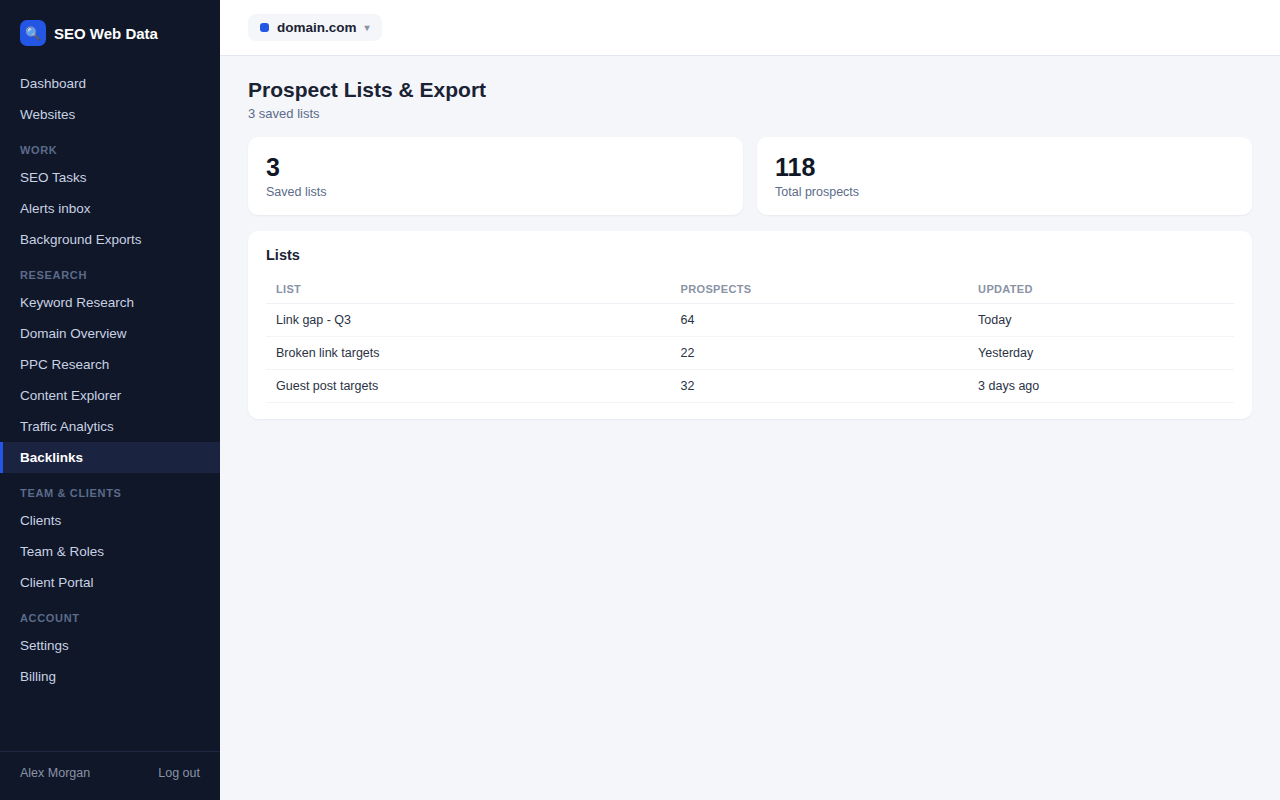
Lists that match how you work
Create lists named for your campaigns, such as “Resource pages”, “Guest posts”, “Directories” or “Competitor gap, priority”. When you add prospects from the link gap or broken-link tabs, file them under an existing list or create a new one in the same step. You can filter the pipeline by list, and the lists page shows how many prospects each contains. Deleting a list is safe: its prospects stay in the pipeline, they simply lose the list label.
Ideas for organising your lists
- By tactic, such as guest posts, resource pages, directories and broken links.
- By client, if you run outreach for more than one brand from the same website.
- By priority, keeping a short “Top 20” list for the sites worth a personal, carefully researched message.
- By period, for example “Q4 campaign”, so results can be compared later.
Turn a prospect into a task
Some outreach needs work before you can send anything, such as writing a guest post, updating a page or finding the right contact. “Create SEO task” on a prospect makes a task in your organised work list in one click. If a task for that prospect already exists, you are taken to it instead of getting a duplicate. Assign it, add a due date and it sits alongside the rest of your team’s SEO work, where it can be tracked to completion.
Export to CSV
The export button downloads your prospects as a spreadsheet file. Each row includes the domain, status, priority, list, source and contact details, the pages involved, the follow-up and contact dates, when a link was won and its address, and your notes. It is useful for several jobs:
- Client reporting, so you can show what was contacted and what was won.
- Backup, a copy of your outreach data kept outside the platform.
- Analysis, using a spreadsheet to compare response rates by list or source.
Text that could be misread as a spreadsheet formula is protected in the file, so opening it is safe.
Sharing progress with clients
Agencies can export a list’s worth of outreach before a review meeting and show exactly which sites were contacted, which replied and which links were won. Because every prospect keeps its source, notes and dates, the export doubles as an honest record of the work done, without anyone rebuilding a report by hand.
Your data stays yours
Prospect data is your own work product. The platform’s routine clean-up of old data never removes it, and it only disappears if you delete the website itself. Building and using these lists uses none of your backlink or crawl allowances, because everything is drawn from data the platform already holds. To go further, pair the exports with SEO reports or the data exports you already use.
Frequently asked questions
What happens to prospects if I delete a list?
They stay in the pipeline. Only the list is removed, so no outreach history is lost.
Can I import a spreadsheet of prospects?
Prospects are added by hand or from the link gap and broken-link tabs. The CSV export is for taking your data out, for reporting or backup.
Does creating a task use any allowance?
No. Tasks, lists and exports use none of your backlink or crawl allowances.
Will exports open safely in a spreadsheet?
Yes. Text that begins with characters a spreadsheet might treat as a formula is protected in the file.