
Data exports
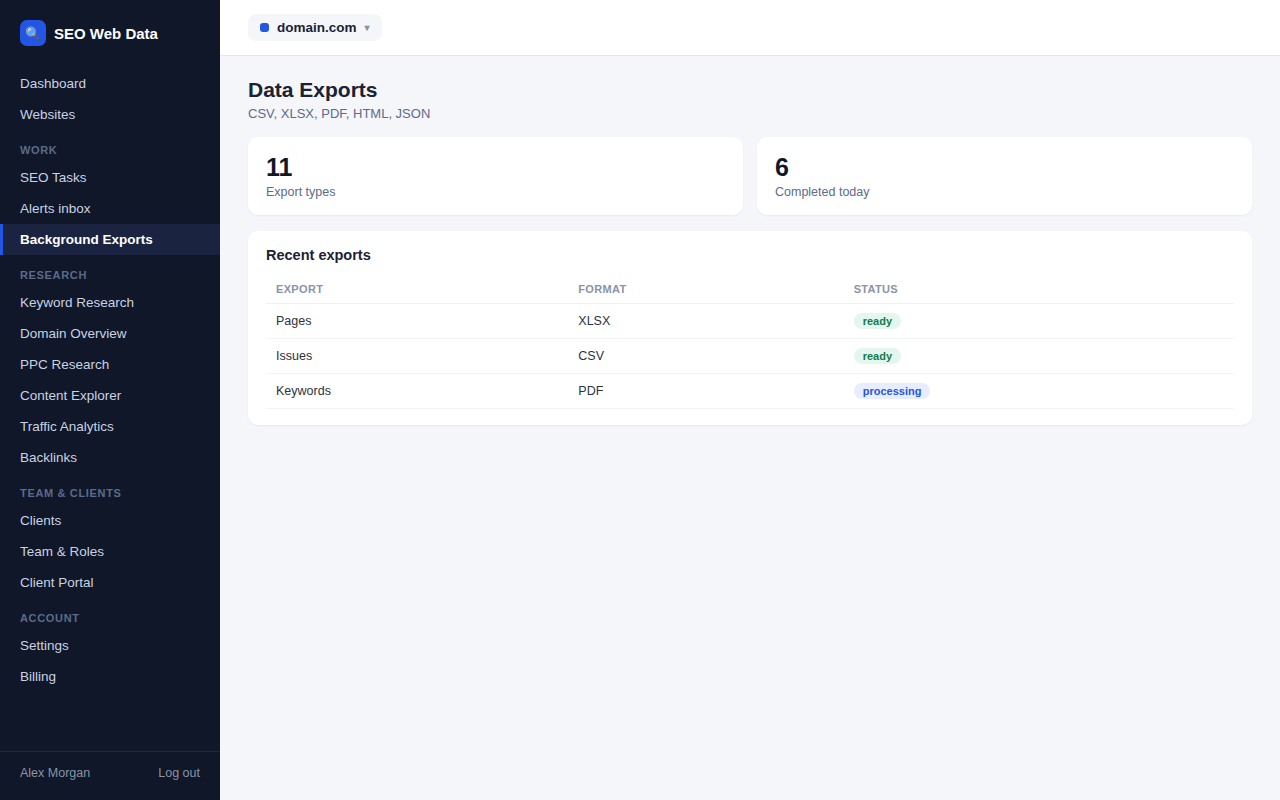
Export pages, issues, keywords, rankings, competitors, links, crawls, tasks and reports in the format that suits you — CSV, Excel-compatible, PDF, HTML or JSON — generated in the background so large exports never tie up your browser.
What's included
- CSV, Excel-compatible, PDF, HTML & JSON
- Background generation for large exports
- Covers every major data area
Almost every major data area — pages, issues, keywords, rankings, competitors, links, crawls, tasks, reports — can be exported in whichever format fits your workflow: CSV or Excel-compatible for spreadsheets, PDF or HTML for sharing, JSON for feeding into another system.
Large exports are generated in the background rather than tying up your browser, so exporting a full year of data for a big account doesn't mean sitting and waiting for the page to respond.
How it works
Almost every major data area — pages, issues, keywords, rankings, competitors, links, crawls, tasks, reports — can be exported in whichever format fits your workflow: CSV or Excel-compatible for spreadsheets, PDF or HTML for sharing, JSON for feeding into another system. Large exports are generated in the background rather than tying up your browser, so exporting a full year of data for a big account doesn't mean sitting and waiting for the page to respond.
For ongoing, automated access to the same data rather than periodic manual exports, see the public API.
Why flexible export formats matter
Different data has different destinations — a keyword list needs to land in a spreadsheet someone can filter and sort, a monthly summary needs to look presentable as a PDF a client can open without any tool of their own, and a bulk pull for another system needs to arrive as clean structured JSON. Forcing everything through one format means someone always has to do extra work converting it afterward.
- Spreadsheet-ready exports (CSV, Excel-compatible) for further analysis or filtering outside the dashboard.
- Shareable formats (PDF, HTML) for anything headed to a client or stakeholder who won't open a spreadsheet.
- Structured JSON for feeding straight into another internal system or script.
- Filtered exports — export exactly the subset of data you’re working with (a date range, a specific website, a filtered issue list) rather than always pulling everything.
Reports specifically also support recurring, automatic delivery — see scheduled reports — so a routine export doesn't need to be triggered manually each time.
Frequently asked questions
What formats are available?
CSV, Excel-compatible, PDF, HTML and JSON, depending on the data area being exported.
Do large exports slow down the dashboard?
No — large exports are generated in the background, so they don't tie up your browser while they run.
Is there a way to automate exports on a schedule?
For reports specifically, yes — see scheduled reports. For other data, the public API or webhooks can be used to automate retrieval.
Do exports include historical data or just the current state?
Depending on the data area, historical records can be included, not just a snapshot of current values.