
Webhooks
Have SEO Web Data push events — a new issue found, a ranking change, an alert — straight to your own endpoint the moment they happen, instead of polling for updates.
What's included
- Real-time event delivery
- Signed payloads
- Included on higher-tier plans — see Pricing
Rather than polling the API on a schedule to check for changes, a webhook has SEO Web Data push an event to your own endpoint the moment it happens — a new issue found, a ranking change, an alert firing — which is both faster and lighter-weight for your own systems.
Every webhook payload is signed, so your endpoint can verify it genuinely came from SEO Web Data before acting on it.
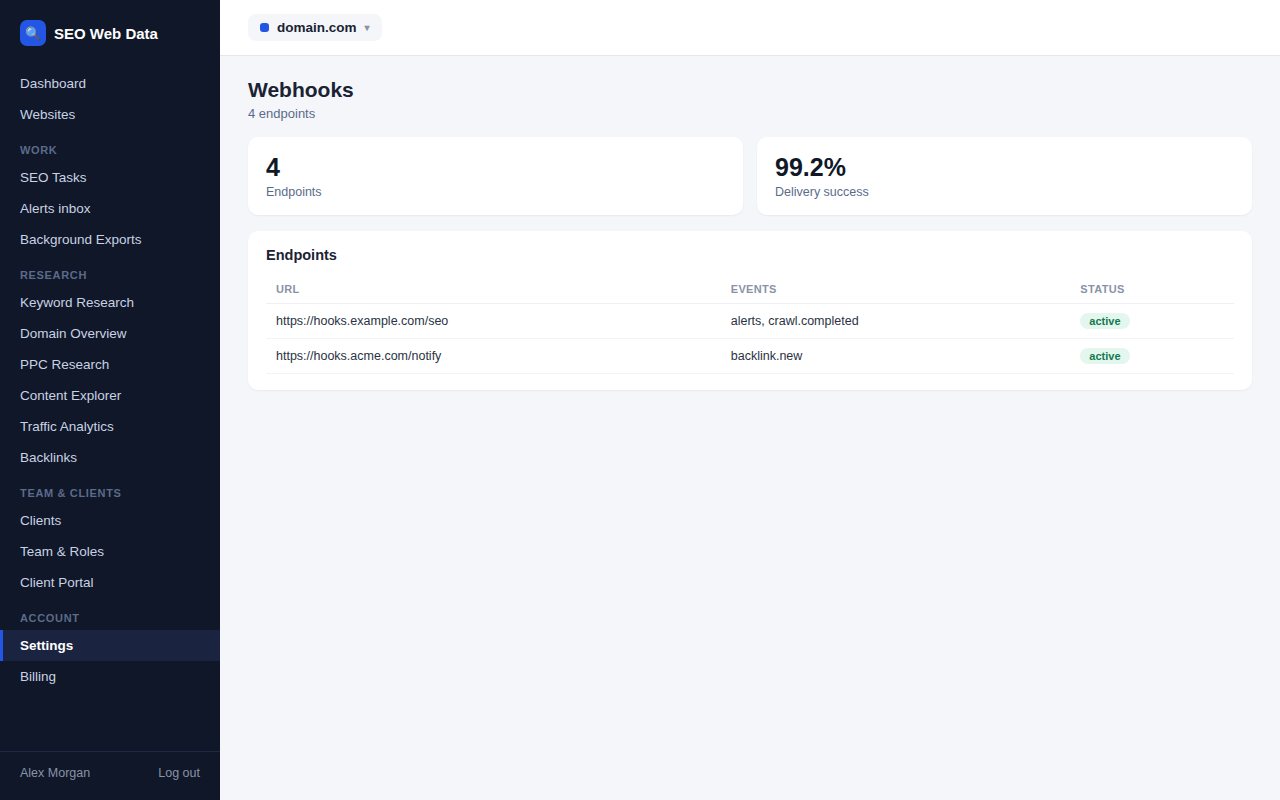
How it works
Rather than polling the API on a schedule to check for changes, a webhook has SEO Web Data push an event to your own endpoint the moment it happens — a new issue found, a ranking change, an alert firing — which is both faster and lighter-weight for your own systems than repeatedly asking "has anything changed yet."
Every webhook payload is signed, so your endpoint can verify it genuinely came from SEO Web Data before acting on it — important if a webhook is wired up to trigger something automated rather than just log an event.
Why push beats poll
Polling for changes means either checking too often (wasting requests on "nothing changed" most of the time) or not often enough (missing the point of real-time awareness in the first place). A webhook sidesteps that trade-off entirely — your endpoint hears about an event within moments of it happening, with no polling schedule to tune.
- Instant delivery — no delay waiting for the next scheduled poll to pick up a change.
- Lighter on both sides — no wasted requests checking for changes that haven't happened.
- Verifiable payloads — signed events mean your endpoint can trust what it receives before acting on it.
- Retry handling — a temporarily unreachable endpoint doesn’t just silently lose an event; delivery is retried so a brief outage on your end doesn’t mean missed data.
Webhooks cover the same event types shown in your alerts inbox, so anything you'd see there can also be routed straight to your own systems.
Frequently asked questions
Which events can trigger a webhook?
The same event types available in the alerts inbox — SEO changes, ranking moves, uptime issues, backlink changes and more.
How do I verify a webhook actually came from SEO Web Data?
Every payload is signed, so your endpoint can verify authenticity before acting on it.
Is webhook access available on every plan?
It's included on higher-tier plans — see Pricing for details.
How many webhook endpoints can I configure?
Multiple endpoints can be configured, useful if different event types need to route to different internal systems.