
Alerts inbox & webhooks
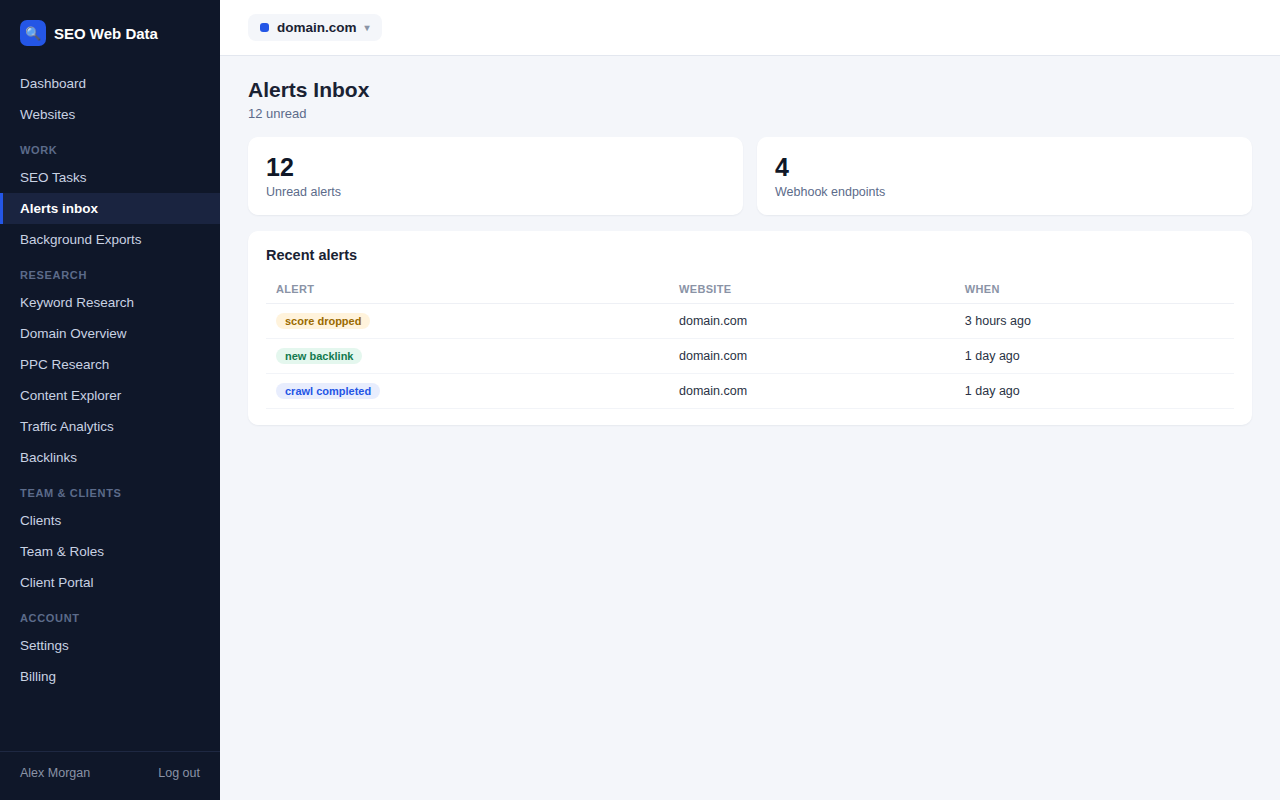
Every alert lands in a single inbox inside your dashboard, and can also be pushed out to your own systems — Slack, email, or any tool that accepts a webhook — on plans that include webhook access.
What's included
- Centralised alerts inbox
- Email notifications
- Webhooks for your own tools (higher-tier plans)
Every alert — SEO changes, ranking moves, uptime or SSL issues, new issues found on a crawl — lands in one inbox inside the dashboard, so there's a single place to check rather than several different screens.
On plans that include webhook access, the same events can be pushed straight to your own tools — Slack, email automation, an internal dashboard — so your team doesn't have to remember to check the inbox at all.
How it works
Every alert — SEO changes, ranking moves, uptime or SSL issues, new issues found on a crawl, backlink changes — lands in one inbox inside the dashboard, so there's a single place to check rather than several different screens. On plans that include webhook access, the same events can be pushed straight to your own tools — Slack, email automation, an internal dashboard — the moment they happen.
Every webhook payload is signed, so your endpoint can verify it genuinely came from SEO Web Data before acting on it, which matters if a webhook is wired up to trigger anything automated on your end.
Why centralising alerts matters
The value of any individual alert drops fast if it lives in a screen nobody checks regularly. A single inbox means the team habit is "check one place," not "remember which of five tools might have flagged something today" — and webhooks extend that further, so the alert can reach wherever your team already works instead of requiring them to visit the dashboard at all.
- One inbox, every alert type — no need to remember which screen a particular kind of alert lives on.
- Push instead of pull — webhooks mean your team finds out the moment something happens, not the next time someone opens the dashboard.
- Built for automation — a signed webhook payload can safely trigger something in your own systems, not just notify a human.
- Read and unread state is tracked per alert, so a busy team can tell at a glance what’s already been reviewed and what still needs attention.
The inbox and webhooks also carry AI visibility drop alerts, so a fall in how often AI assistants name or cite your brand reaches you like any other alert.
Frequently asked questions
What kinds of events can trigger a webhook?
The same event types that appear in the alerts inbox — SEO changes, ranking moves, uptime issues, new backlinks and more.
Is webhook access available on every plan?
Webhooks are included on higher-tier plans — see Pricing for current plan details.
Can I build my own integration on top of this?
Yes — webhooks pair naturally with the public API for building a fuller integration of your own.
Can multiple team members receive the same alerts?
Yes — alert delivery can be configured for more than one recipient, not just a single account owner.