
Organised work
Turn issues found during a crawl or audit into trackable SEO tasks, so nothing found gets forgotten between one report and the next.
What's included
- Tasks generated from found issues
- Track status through to resolved
- Shared visibility across your team
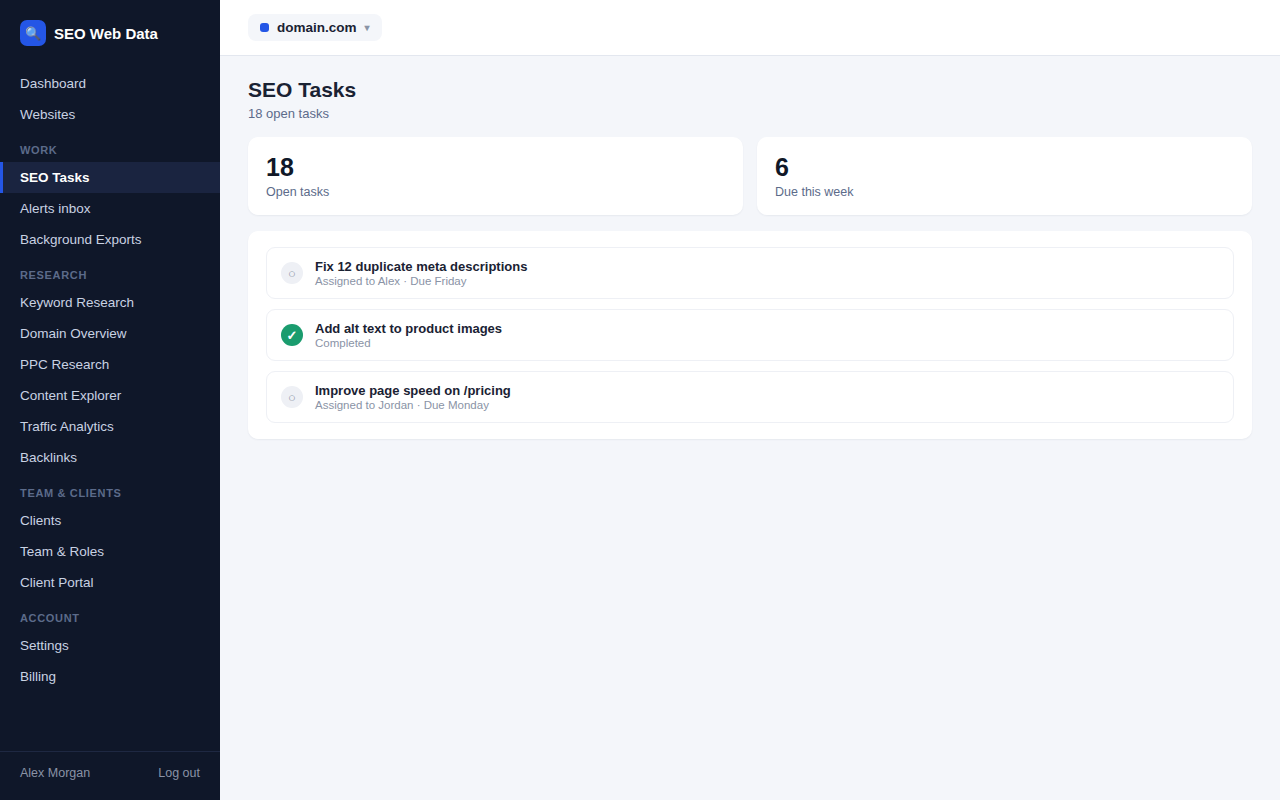
Issues found during a crawl or audit can be turned into tasks with a status you track through to resolved, so a report doesn't just list problems — it creates a to-do list your team can actually work from and mark off.
Because tasks live in the same account as everything else, progress is visible to the whole team, not just whoever originally found the issue.
How it works
Issues found during a crawl or audit can be turned into tasks with a status you track through to resolved, so a report doesn't just list problems — it creates a to-do list your team can actually work from and mark off. Because tasks live in the same account as everything else, progress is visible to the whole team, not just whoever originally found the issue.
Tasks can be scoped to a specific website, matching the same independence used across multiple websites, one account, so an agency managing several clients isn't working from one blended to-do list. Publishing work for a client fits the same pattern — a content calendar tracks it from planned to published without leaving the account.
Why turning issues into tasks matters
An issue list on its own is a snapshot — useful the moment it's generated, stale a week later once some items have been fixed and others haven't, with no easy way to tell which is which. A task with a status closes that gap: an issue found today either gets resolved, or stays visibly open with someone accountable for it, rather than quietly falling off everyone's radar between one report and the next.
- Nothing gets forgotten between one audit and the next, because every found issue has a place to live.
- Shared team visibility means progress isn't locked in one person's memory or inbox.
- A running record of what's been fixed over time, useful evidence for a client report.
- Priority and due dates on individual tasks help a team decide what to tackle first when several issues surface from the same audit.
Frequently asked questions
Are tasks created automatically from found issues?
Issues can be turned into tasks directly, rather than needing to be manually re-typed from the issue list.
Can tasks be assigned to specific team members?
Yes — see team & roles for how team access and assignment work.
Are tasks specific to one website?
Yes — tasks stay scoped to the website they were found on, consistent with how multiple websites are kept independent.
Can tasks be created manually, not just from found issues?
Yes — a task doesn’t need to originate from an audit finding; anything worth tracking can be added directly.