
Content calendar
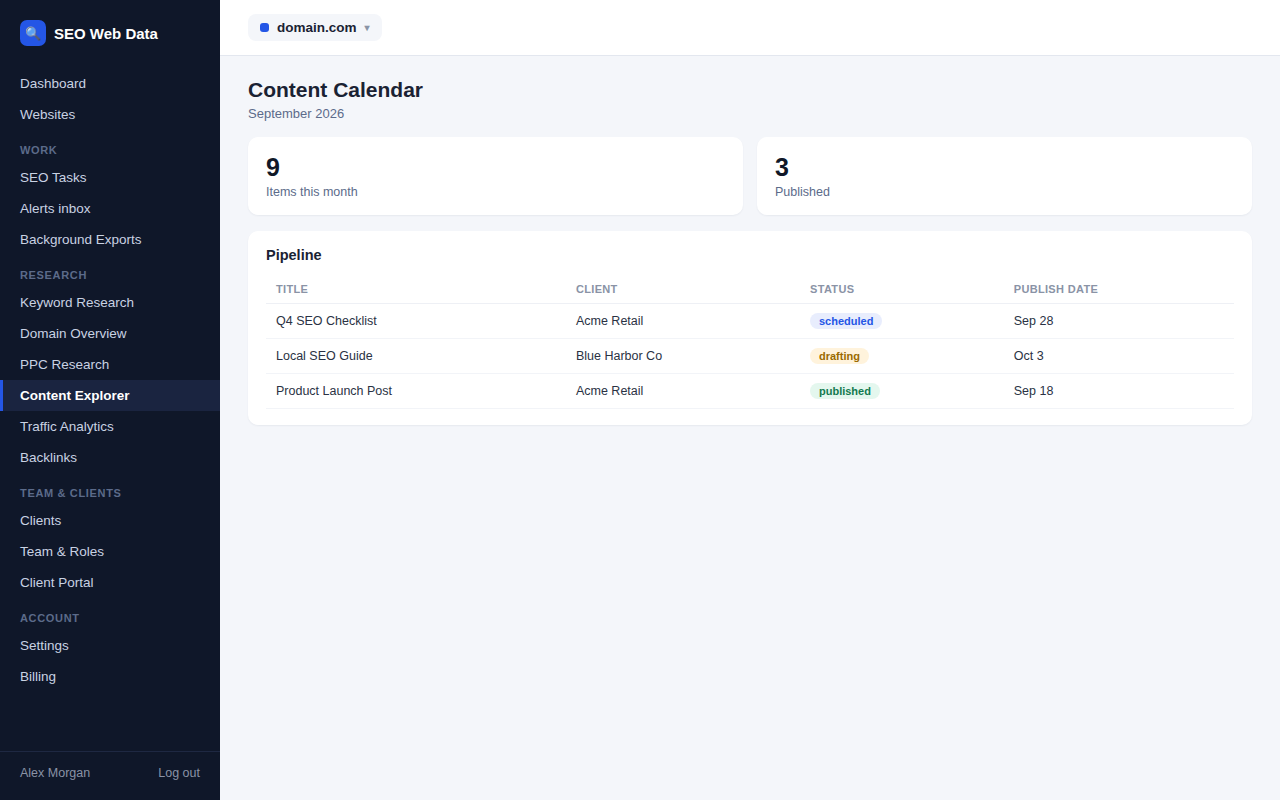
Plan what's being published and when, across every client website, with a month grid and a pipeline board — and a linked SEO task per item so writing and follow-through stay in the same place.
What's included
- Month grid and pipeline board views
- One linked SEO task per content item
- Status sync between the task and the item
Add an item straight from an AI content brief, or create one from scratch, and it carries a due date and a status through your pipeline. Moving a task's status updates the content item and vice versa, so the calendar never drifts out of sync with what's actually been done.
A downloadable .ics feed means the calendar can also show up in whatever calendar app your team already uses, alongside everything else on their schedule.
How it works
Content items live on a month grid for a publishing-date view, or a pipeline board (idea, drafting, review, scheduled, published) for a workflow view. Each item's linked SEO task carries a due date set to follow the item's publish date, so a delay in one is reflected in the other.
Why plan content alongside SEO work
- One place to see it all — a client's content plan sits next to the SEO tasks tracking everything else on their site.
- Status that actually reflects reality — the two-way sync means marking a task done also marks the content item done.
- Fits into an existing calendar — the .ics export means the plan doesn't require living inside the product to be useful day to day.
Frequently asked questions
Can I create a calendar item from an AI content brief?
Yes — an “Add to content calendar” option is available directly on a generated AI content brief.
Does the calendar sync with the SEO task list?
Yes — each content item has one linked SEO task, and status changes flow both ways between them.
Can I see the calendar in another app?
Yes — a downloadable .ics feed lets the content calendar show up in any calendar app that supports it.