
Team & roles
Bring colleagues onto the account with the access level that fits their role, so everyone can do their job without unnecessary access to billing, client management or platform settings.
What's included
- Owner, admin and member roles
- Seat allowance scales by plan
- Centralised team management
Owner, admin and member roles control what a colleague can see and do — a team member doing day-to-day SEO work doesn't need, and won't get, access to billing or account-wide settings unless they're given that role.
How many team seats are included also scales by plan, so a growing team doesn't have to jump straight to the top tier just to add a couple of people.
How it works
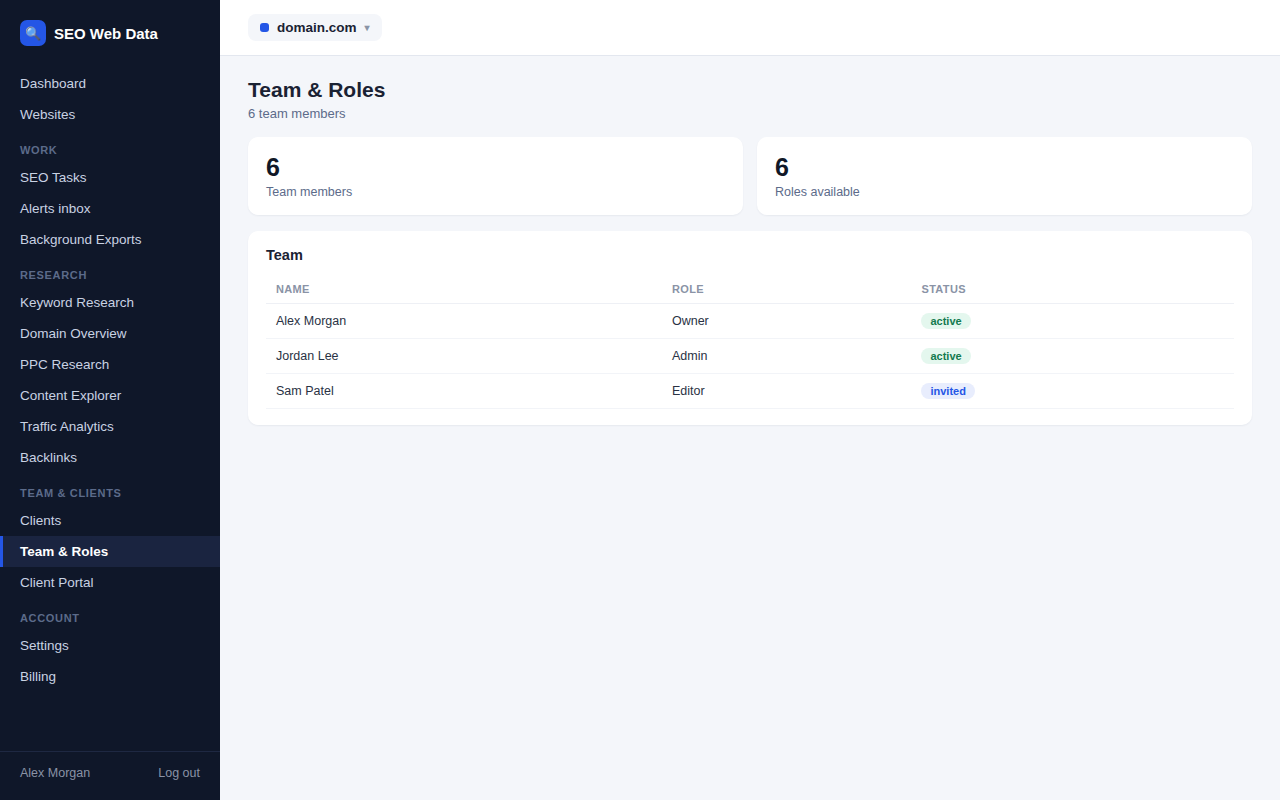
Owner, admin and member roles control what a colleague can see and do — a team member doing day-to-day SEO work doesn't need, and won't get, access to billing or account-wide settings unless they're given that role. How many team seats are included also scales by plan, so a growing team doesn't have to jump straight to the top tier just to add a couple of people.
Role-based access carries through the rest of the account — which websites a team member can see, and whether they can manage client portal access or billing, all follow from the role they're assigned. New team members can lean on the same getting-started checklist shown to a new account, and the Help Centre answers most day-to-day questions without needing to ask a colleague.
Why role-based access matters for a growing team
Giving every team member full account access is the easy default and the wrong one — it means anyone can accidentally (or deliberately) change billing details, remove a client's website, or see financial information that has nothing to do with their actual job. Proper roles remove that risk without making anyone's day-to-day work harder.
- Least-privilege by default — a member role gets exactly what's needed for SEO work, nothing more.
- Safer delegation — bring on freelancers or junior team members without worrying about billing or account-wide exposure.
- Centralised management — roles and access are managed from one place, not scattered across per-tool permissions.
- Activity visibility — seeing who did what and when helps a growing team stay accountable without needing a separate audit tool.
Two-factor sign-in
Everyone can protect their sign-in with two-factor authentication using an authenticator app such as Google Authenticator, Microsoft Authenticator, Authy or 1Password, with ten one-time backup codes for when a phone is not to hand. Agencies should ask everyone who can see client data to switch it on.
Frequently asked questions
How many team seats are included?
Seat allowance scales by plan — see Pricing for current limits.
What can a member role not access?
Billing and account-wide settings are restricted to owner and admin roles by default.
Is this different from client portal access?
Yes — team roles are for your own colleagues; see client portal for the separate, more limited access given to clients themselves.
Can I remove a team member’s access later?
Yes — access can be revoked at any time, immediately removing that person’s ability to see or act on the account.
Is two-factor sign-in available?
Yes. Each person can set it up from their account security page using an authenticator app, and is given ten one-time backup codes.