
Client portal
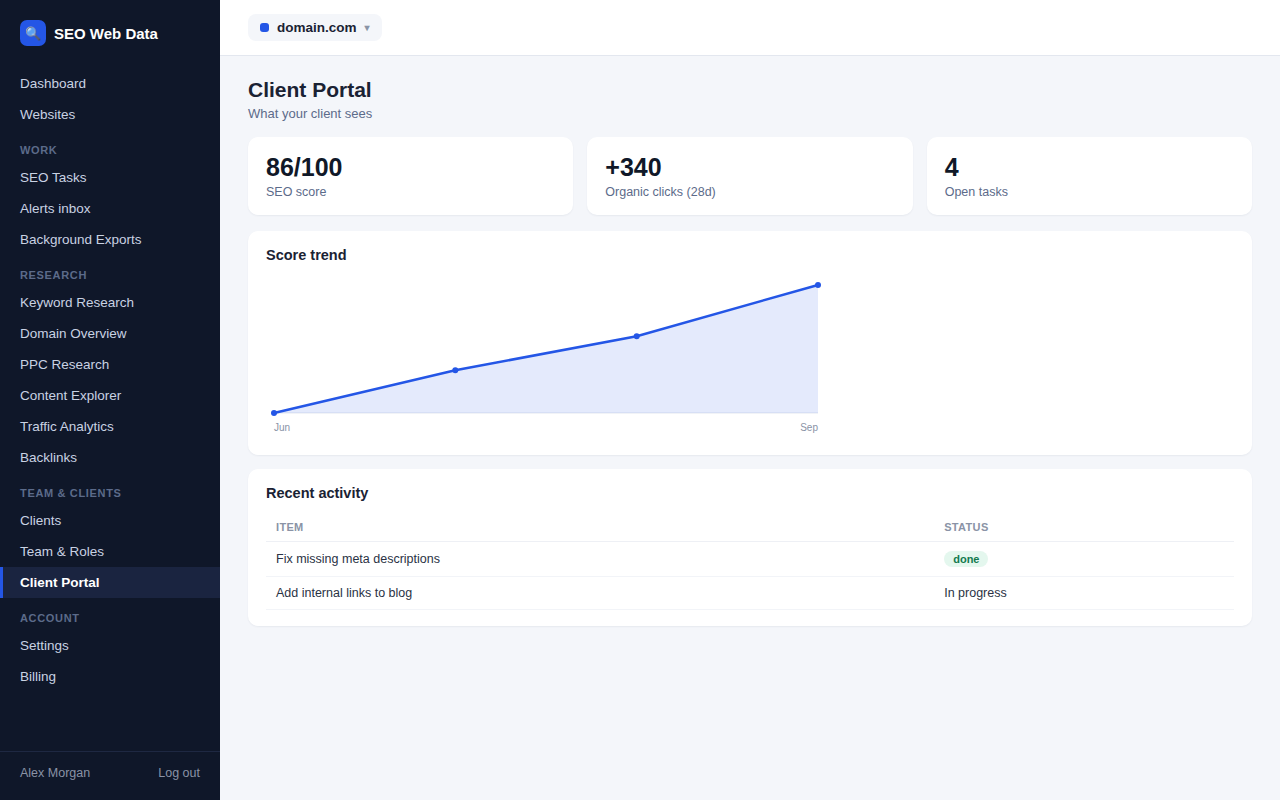
Give each client their own read-only login to see their own website's performance — SEO score, tasks, rankings — without ever seeing another client's data, and without handing over your own dashboard login.
What's included
- Read-only client logins
- Each client sees only their own data
- Optional client notes
A client login is tied to exactly one client and only ever shows that client's own websites — there's no way for a client to see another client's data, even by accident, and no need to hand over your own dashboard login to give them visibility.
What a client sees can be limited to specific sections (scores, tasks, rankings) under Portal Settings, and clients can optionally leave notes your team sees, without ever being able to edit the underlying data themselves.
How it works
A client login is tied to exactly one client and only ever shows that client's own websites — there's no way for a client to see another client's data, even by accident, and no need to hand over your own dashboard login to give them visibility. What a client sees can be limited to specific sections (scores, tasks, rankings) under Portal Settings.
Clients can optionally leave notes your team sees, without ever being able to edit the underlying data themselves — feedback flows one way, into your workflow, without any risk to the data itself.
Why giving clients their own view matters
Client updates delivered as a periodic email or call are useful but limited — a client curious about their SEO progress right now has to wait for the next scheduled check-in. A portal removes that wait entirely, while keeping the boundary firm: clients see exactly their own data, nothing more, and can't accidentally change anything.
- Reduces status-update requests — a client who can check progress themselves asks fewer "how's it going" emails.
- Builds trust through transparency — visible, real-time progress reads differently than a monthly summary alone.
- No login-sharing risk — clients never need your own dashboard credentials to see their data.
- Multiple contacts per client — more than one person on the client side can be given their own scoped login where that fits how the relationship works.
Portal branding can carry your agency's own logo and colours — see white label & client portal — and portal access sits alongside your other team roles in the same account.
Frequently asked questions
Can a client see other clients' websites?
No — a client login is strictly scoped to their own website or websites, with no path to another client's data.
Can I limit what a client sees?
Yes — specific sections can be shown or hidden per client under Portal Settings.
Can the portal be branded with my agency's logo?
Yes, on plans that include white-labeling — see white label & client portal.
Can a client request changes through the portal?
Clients can leave notes your team sees, but can’t directly edit data — requests still flow through your team rather than happening automatically.