
Full-site crawler
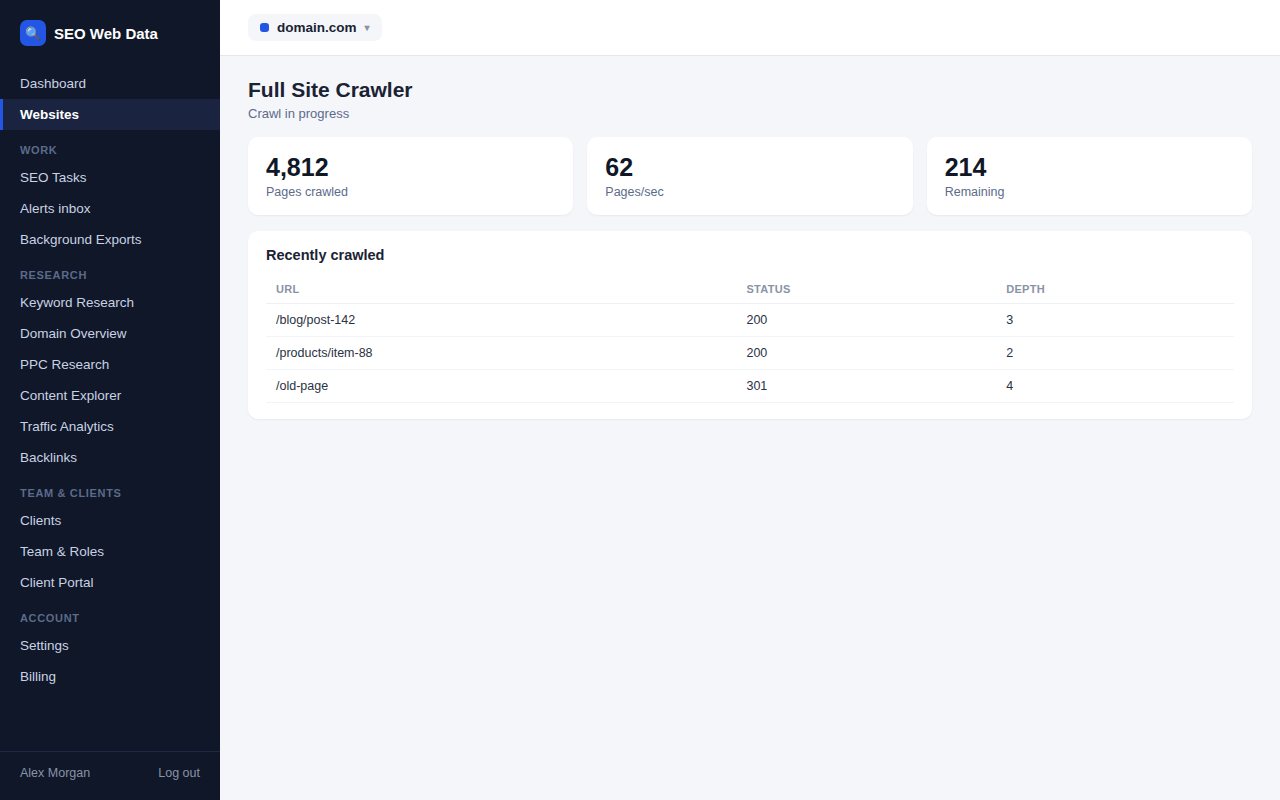
Point SEO Web Data at your domain and it maps every page it can find, following links and respecting your robots.txt, the same way a search engine would. You get a live view of crawl progress and a complete picture of your site's structure — including pages you didn't know existed.
What's included
- Scheduled or on-demand crawls
- Crawl depth and internal link mapping
- Sitemap and robots.txt checks
A crawl starts from your homepage and follows every internal link it finds, the same path a search engine's own crawler would take, so the map it builds reflects how your site is actually structured — not just the pages listed in a sitemap. Orphaned pages, accidental duplicates, and sections buried too deep to be found easily all show up here first.
Crawls can run on a schedule or be started manually before a launch or a big content push. How often a scheduled crawl can run, and how many pages a single crawl can cover, both scale with your plan — see Pricing for current allowances.
How it works
A crawl starts from your homepage and follows every internal link it finds from there, the same path a search engine's own crawler would take — it doesn't just read your sitemap and stop. That distinction matters: a page missing from your sitemap but still linked from somewhere on the site will still be found, and a page listed in the sitemap but orphaned from your actual site structure will show up as exactly that kind of problem.
Progress is visible live while a crawl runs, and once it finishes, results feed straight into technical SEO checks, on-page analysis and the overall SEO score — a crawl isn't an end in itself, it's the data everything else in this feature group is built on.
Why crawling your own site matters
Most sites are bigger and messier than whoever runs them assumes — pages get orphaned when a navigation link is removed, duplicate URLs get created by tracking parameters or filters, and sections get buried three or four clicks deep where neither visitors nor search engines find them easily. A crawl surfaces all of it in one pass, rather than relying on someone noticing by accident.
- Before a redesign or migration — a full map of existing URLs is essential to avoid losing rankings on pages nobody remembered existed.
- After a big content push — running a crawl on demand confirms new pages are actually reachable and indexable, rather than waiting for the next scheduled run.
- Ongoing health checks — a scheduled crawl catches a broken template or a bad redirect rule shortly after it happens, not months later.
- Custom crawl settings — exclude specific paths, set crawl depth, or adjust speed, so a crawl fits the shape of your particular site rather than a one-size-fits-all default.
Frequently asked questions
How often does a scheduled crawl run?
Crawl frequency and the number of pages a single crawl can cover both scale by plan — see Pricing for current allowances.
Does the crawler respect robots.txt?
Yes — it follows your robots.txt rules the same way a real search engine crawler would, rather than ignoring them to gather more data.
Can I trigger a crawl manually?
Crawls can run on a schedule or be started on demand — useful right before a launch or after a big content push.
Is there a limit to how many pages a crawl can cover?
Yes — the maximum pages per crawl scales by plan, see Pricing for current allowances.