
Multiple websites, one account
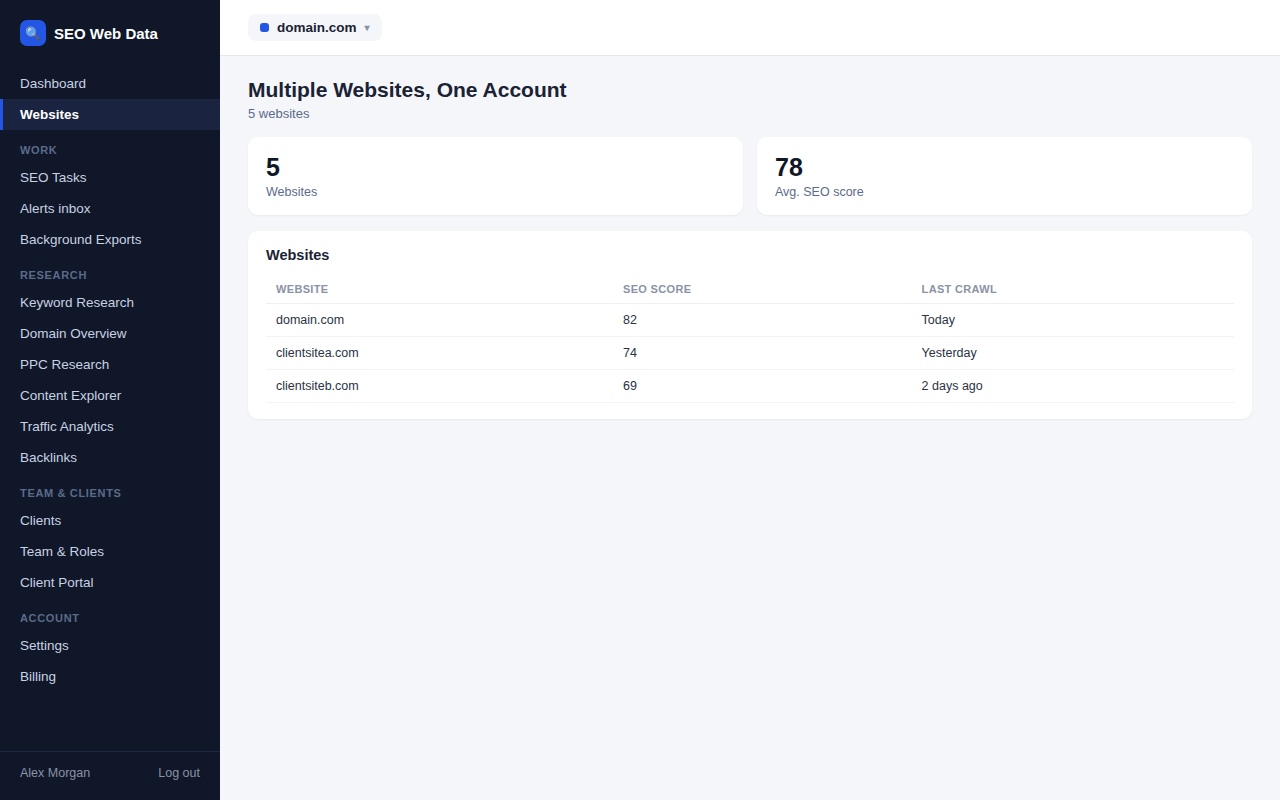
Add every client's website to the same account and switch between them without juggling separate logins, each with its own crawl history, SEO score and Search Console data. The number of websites included scales with your plan.
What's included
- One login for every client site
- Independent history per website
- Website allowance scales by plan
Every website added to an account keeps its own independent crawl history, SEO score, rankings and Search Console data — adding a new client's site never mixes its data with another's, and switching between sites is instant, no separate login required.
How many websites an account can add scales by plan, from a handful up to effectively unlimited on the top tier — see Pricing for current limits.
How it works
Every website added to an account keeps its own independent crawl history, SEO score, rankings and Search Console data — adding a new client's site never mixes its data with another's, and switching between sites is instant, with no separate login required. How many websites an account can add scales by plan, from a handful up to effectively unlimited on the top tier.
Each website's independence carries through the rest of the platform too — tasks, reports, and client portal access are all scoped per site, not blended across an account. For agencies running the same action across dozens of sites at once, bulk actions apply it to a whole selection in one go instead of repeating it site by site.
Why one account matters for agencies
Managing separate logins per client site doesn't just cost time switching between them — it makes it hard to see patterns across an entire client roster, like which accounts have the most outstanding issues or which are due a report this week. One account with every site inside it turns agency-wide management into something you can actually see at a glance.
- Instant switching between client sites, no separate login or password to manage per client.
- Account-wide visibility — see status across every managed website from one place, not one at a time.
- Plan-based scaling — start with a handful of sites and grow the allowance as your client roster grows.
- Bulk actions across sites — where an action applies to several websites at once, it can be done from the same account rather than repeated per site.
Each website keeps its own AI prompts, competitors and trend history, so tracking how AI assistants describe several clients never mixes their data.
Frequently asked questions
How many websites can I add?
The website allowance scales by plan — see Pricing for current limits.
Does data ever mix between websites?
No — each website's crawl history, score, rankings and data are kept fully independent, however many sites are on the account.
Can different team members have access to different sites?
Yes — see team & roles for how access is controlled per person.
Can I move a website between accounts later?
Websites can be transferred between accounts where needed — reach out if that’s something you need to do.