
Broken-link opportunities
Find pages that link to competitor content which no longer exists, and make a friendly case for your own page as the replacement — plus a list of dead links on your own site to fix.
What’s included
- Competitor pages found dead (404 or 410) in their latest crawl
- Linking pages matched from stored backlinks
- Anchor text, nofollow flag and authority for each
- Dead outbound links on your own pages, listed separately
Broken link building is one of the oldest and most polite ways to earn a link. You tell the owner of a page that one of its links no longer works and, if you have a genuinely suitable page, suggest it as a replacement. The owner gets a fix, and you get a link.
The hard part is finding the opportunities. This feature does it by combining two things you already have: the latest crawl of a competitor and the backlinks stored for that competitor.
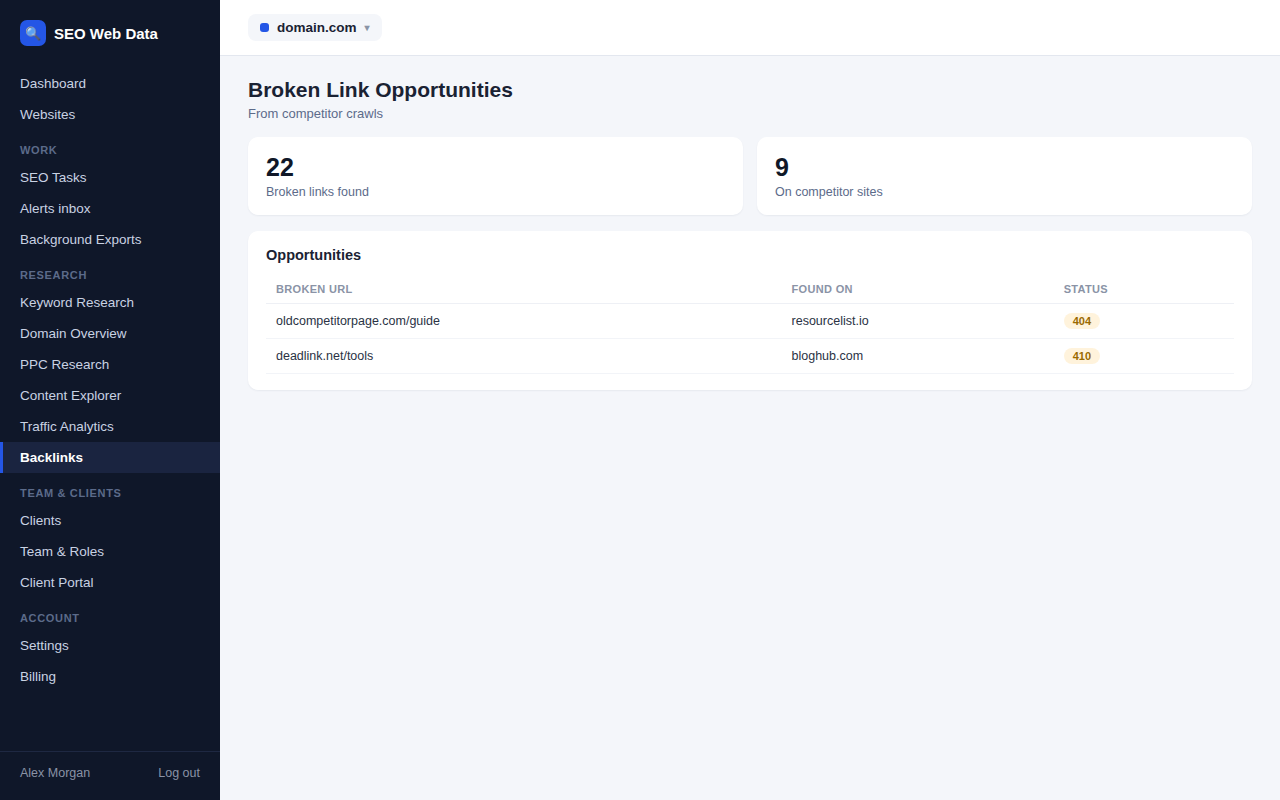
How opportunities are found
When you crawl a competitor, every page that comes back as not found (404) or gone (410) is recorded. The finder takes those dead pages and matches them, after tidying the addresses to a common form, against the competitor’s stored backlinks. Every match is a page on another website that links to something that no longer exists.
Each row shows the linking page, the anchor text, whether the link is nofollow, the dead competitor page with its status, and an authority score from the backlink data. Nothing is fetched when you open the tab, so it is quick and uses none of your checks.
Writing a message that gets a reply
- Be specific. Name the page you found the broken link on and give its exact address, so the owner can fix it in seconds.
- Offer a real replacement. Only suggest your own page if it truly covers what the dead page used to cover.
- Keep it short and helpful. You are doing them a favour, so leave out the sales pitch.
Add a row to your outreach pipeline and the dead URL, the linking page and the competitor are kept with the prospect, so the details are to hand when you write.
Choosing the best opportunities
Start with relevance rather than authority. A dead competitor page that covered the same topic as one of your strongest pages is the ideal match, because your suggestion genuinely improves the page that links to it. Then look at the authority score and the anchor text, and be cautious about pages that are little more than long lists of links, which rarely reply and rarely matter.
Fixing dead links on your own site
The same tab lists external links on your own pages that returned 404, 410 or could not be reached in your latest completed crawl. These are not outreach targets. They are fixes: replace the link, point it somewhere current or remove it. Each entry shows the dead address and the pages it appears on, with the anchor text, so you can go straight to the right page. Your site crawler keeps that list fresh every time it runs.
The limits, stated plainly
Results depend on two things being in place: a completed crawl of the competitor and a stored backlink check for it. Even then the list is partial, because it only covers backlinks already stored and pages the crawl reached. Competitors that lack either are listed with the reason, so you know what to run next. Nothing here contacts anyone: the platform finds the opportunity and you decide whether to act on it.
Frequently asked questions
Do I need to crawl my competitors first?
Yes. The finder relies on the latest completed crawl of each competitor to know which of their pages are dead, and on a stored backlink check to know who links to them.
Which statuses count as dead?
Competitor pages that return 404 or 410. On your own site, external links that return 404 or 410, or that could not be reached at all, are listed.
Will it email the linking sites?
No. It finds the opportunity and stores it in your pipeline. You write and send any message yourself, then record it on the prospect.
What if my page is not a good replacement?
Then leave that row alone or mark it not relevant. A weak suggestion rarely earns a link and can put the site owner off.