
Outreach pipeline
Keep every link prospect in one place, from first idea to won link, with clear statuses, contact details, an owner and a timeline of everything that has happened.
What’s included
- Six statuses: prospect, contacted, replied, link won, lost, not relevant
- Contact name, email and contact-page address
- Their page, your page to suggest and the live link
- Priority, assignee and list for every prospect
Link building usually falls apart in a spreadsheet nobody updates. Someone emails a site, someone else forgets, and three weeks later nobody knows who replied. The outreach pipeline replaces that with a shared list that shows exactly where every prospect stands.
Each website has its own pipeline, with a count for every status at the top and a follow-up counter that turns red when something needs attention.
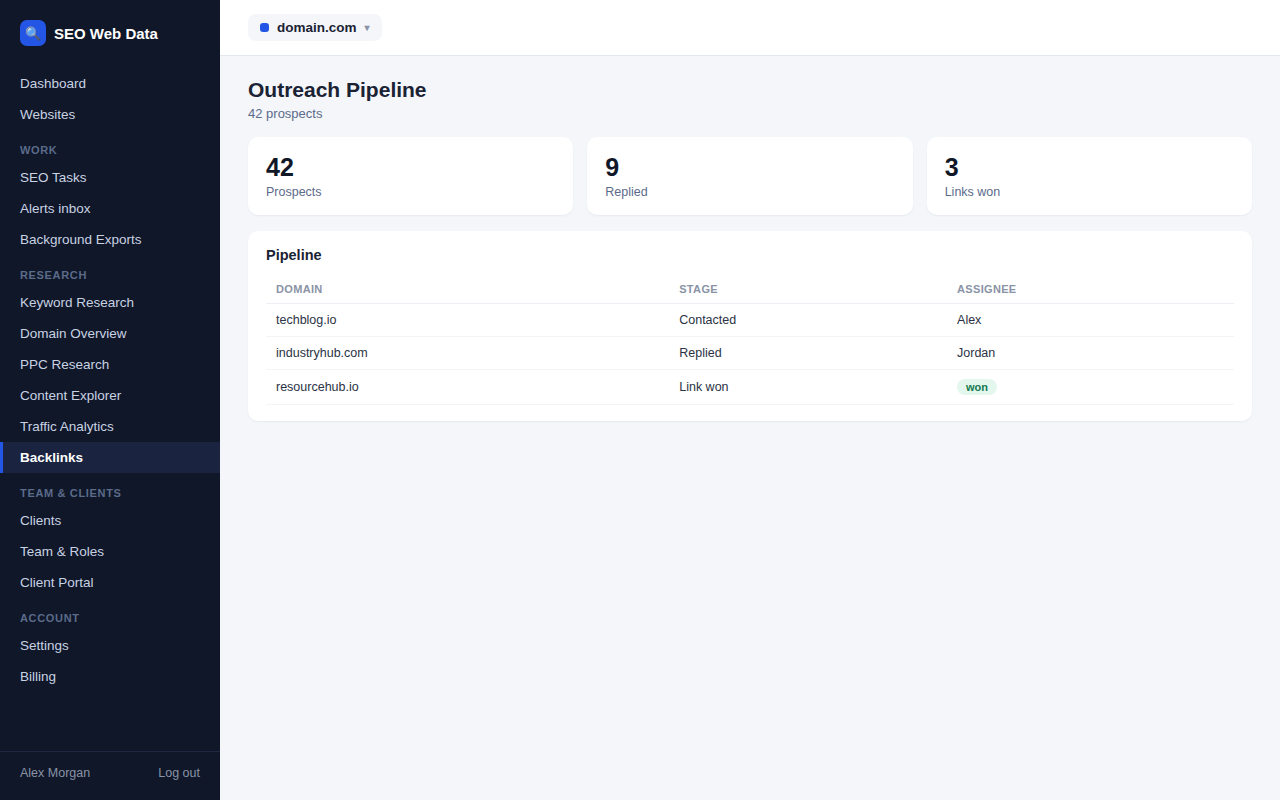
One row for every site
Each website keeps one prospect per domain. Add a site by hand, or tick rows on the link gap and broken-link tabs. If the same domain turns up a second time it is ignored, so nothing you have already recorded is overwritten. Every prospect remembers its source, such as “gap, 3 competitors” or “broken link”. Sites already writing about your brand without a link make another good source — the brand mentions monitor flags unlinked mentions worth adding to the pipeline.
Filters and next actions
By default the list shows prospects that are in play, meaning prospect, contacted or replied. You can switch to all statuses, filter by list, search by domain or contact, or show only prospects whose follow-up is due. Each row carries the next sensible action as a single click: “Mark contacted”, “Follow-up sent” or “Mark won”.
A timeline for every prospect
Open a prospect to see its timeline. Notes, status changes and follow-ups are recorded with the date and the team member responsible. You can also store the details you need to do the job properly:
- Contact details such as name, email address and contact page.
- Their page, where a link could go, and your page, the one you plan to suggest.
- The live link address once a link is won.
The pipeline does not send email. It is a record of what you did and what to do next, which keeps it simple and keeps you in control of every message.
A worked example
Suppose you add a site from the link gap tab. It arrives as a prospect, filed under “Resource pages”, with a note that two competitors link to it. You find the editor’s name, save it on the prospect and mark it contacted once your first email is sent. The pipeline sets a follow-up for a week later and adds the change to the timeline.
When the editor replies, you move the prospect to replied and note what was said. If they agree to add your link, you mark it won and save the live address. Use “not relevant” for sites you decide against and “lost” for those that decline, so the counts show you later what worked. Every step took a click or two, and anyone on the team can read the whole story.
Working as a team
Assign prospects to the person responsible, so nobody chases the same site twice. Team members follow the roles you set under team and roles. Agencies keep a separate pipeline for each client website, all under one account.
Sensible limits
A website can hold up to 2,000 prospects and 50 lists, which is plenty for a focused campaign. Only web addresses beginning with http or https are stored from forms, and they are shown as links that tell search engines you do not vouch for the destination. An invalid contact email address is quietly dropped rather than saved.
Frequently asked questions
Does the pipeline send outreach emails?
No. It records your outreach. You write and send messages from your own email, then log the result so the timeline and follow-up dates stay accurate.
Can I add prospects from my own research?
Yes. Add any domain or address by hand, with contact details, a priority and a list. Prospects from the link gap and broken-link tabs are added the same way.
What happens if I add a site twice?
The second attempt is ignored and the existing prospect is left exactly as it was, so notes and dates are never overwritten.
Is there a limit on prospects?
Each website can hold up to 2,000 prospects and 50 lists.