
Automated keyword tracking
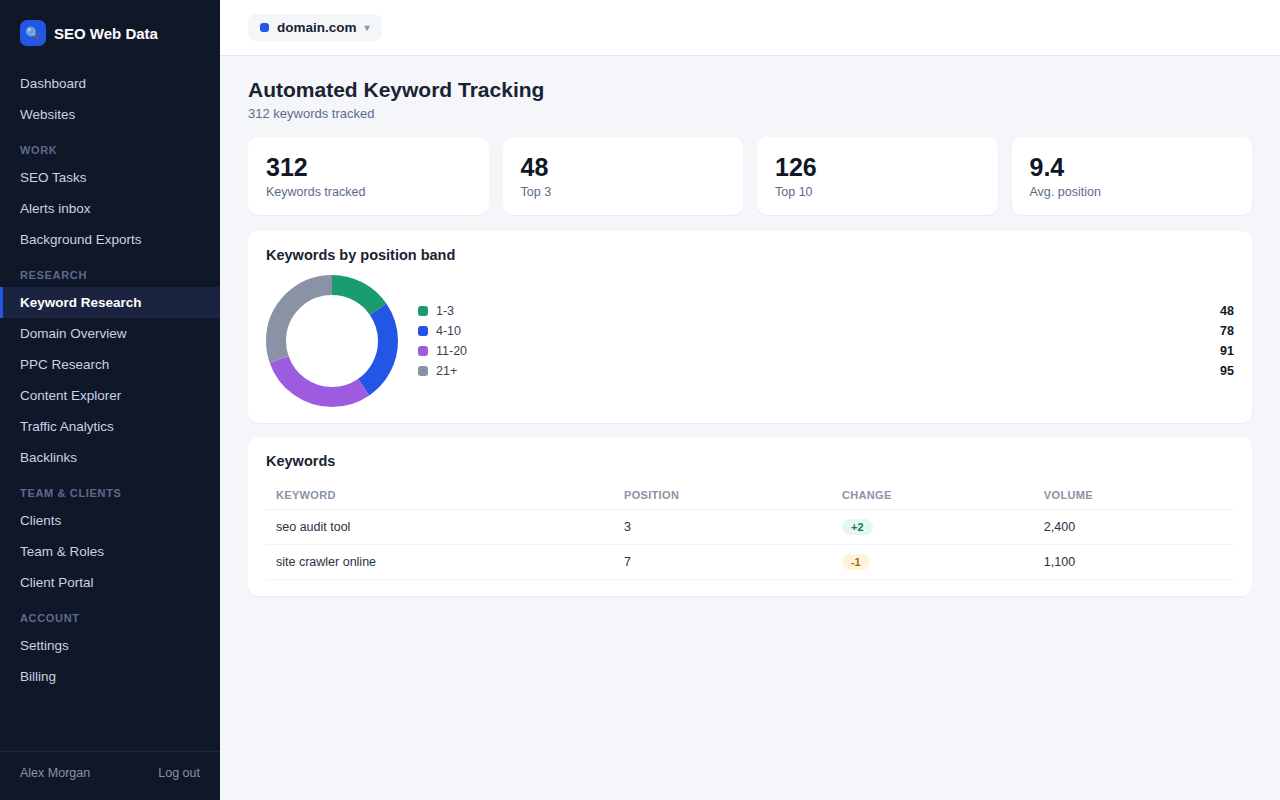
Add the keywords you care about and SEO Web Data checks your ranking position on a regular schedule, building a history you can look back on to see what's improving and what needs attention.
What's included
- Track keywords per website
- Ranking history and trend charts
- Group keywords by topic or page
Add a keyword once and it's checked on an ongoing basis from then on, building a position history you can look back over weeks or months — useful for spotting a slow decline long before it shows up as a traffic drop, or confirming that a recent content update actually moved the needle.
Keywords can be grouped by topic, page, or campaign, so a dashboard for fifty keywords stays organised instead of turning into one long undifferentiated list.
How it works
Add a keyword once, attach it to the page you're targeting if you want that context, and SEO Web Data checks its ranking position on a regular schedule from then on — no need to remember to re-check it manually. Every check is stored, which is what turns a single position number into a history you can actually trend over weeks or months.
Checks can be scoped by device and location the same way a real search is, so a mobile ranking and a desktop ranking for the same keyword are tracked as the separate things they usually are. Deciding which keywords to add in the first place is easier with keyword research, which groups results into topic clusters and shows a difficulty score before you commit to tracking one.
Why an ongoing history matters more than a single check
A single ranking check tells you where you stand today; a history tells you whether you're heading somewhere good. A keyword drifting down two or three positions a week for a month is a much clearer signal — and a much earlier warning — than the same keyword suddenly showing up "down" in a monthly report after the damage is already reflected in traffic.
- Spotting slow decline early — a gradual slide is easy to miss checking by eye, but obvious on a trend chart.
- Proving content changes worked — compare the position history before and after a content update to see whether it actually moved the needle, rather than guessing.
- Grouping by topic or page — keywords can be grouped so a dashboard tracking fifty or a hundred terms stays organised instead of becoming one long undifferentiated list.
- Tagging by campaign or client makes it possible to filter a large keyword set down to exactly the subset relevant to a specific piece of reporting.
Position history is one input into the wider picture — see real search result snapshots for what the actual results page looked like at any point in that history, and competitor tracking for how your position compares to the sites around you.
Your tracked keywords can also seed questions to test in AI assistants: AI prompt tracking suggests prompts based on the keywords you already follow, so you can compare your rankings with your visibility in AI answers.
Frequently asked questions
How often are rankings checked?
Check frequency scales by plan — see Pricing for current schedules.
Can I track the same keyword for mobile and desktop separately?
Yes — device and location are part of what's tracked, not just the keyword itself.
Does this cover local search too?
Standard tracking covers organic search positions; for map pack visibility from specific locations, see local rank tracking.
Can I bulk-import keywords instead of adding them one at a time?
Yes — a keyword list can be imported in bulk, useful when setting up tracking for a new site or client all at once.