
Real search result snapshots
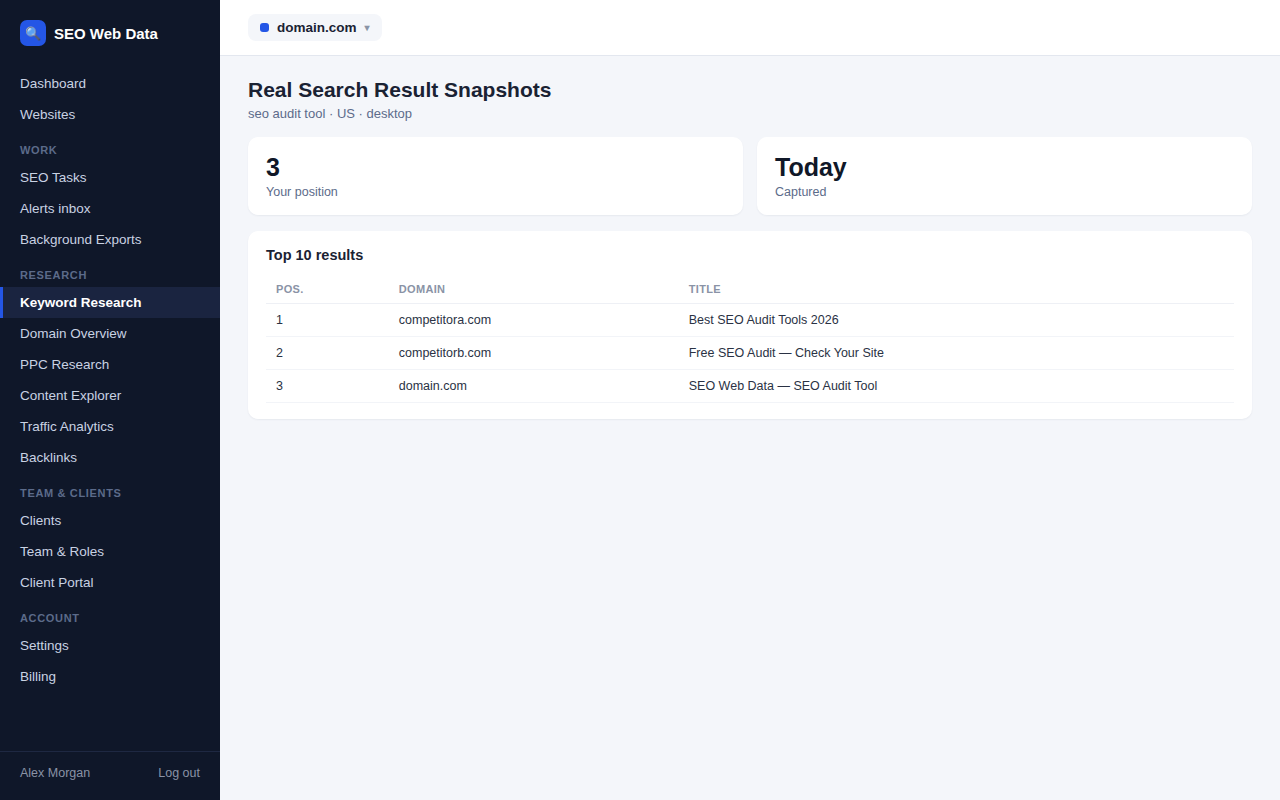
See the actual search engine results page for any tracked keyword — who else shows up, in what order, and how your listing compares — rather than just a bare position number.
What's included
- Full SERP snapshots
- Featured snippets and other result types
- Local and desktop/mobile views
A position number alone doesn't tell you what a searcher actually sees. A SERP snapshot shows the full results page for that keyword — other ranking pages, any featured snippet or other rich result taking up space above the normal listings — so you understand the real competitive landscape, not just where you sit in an abstract list.
Snapshots are kept over time too, so you can look back at what a results page looked like before a change, which is often the fastest way to understand why a ranking moved.
How it works
Alongside every ranking check, SEO Web Data captures the full results page for that keyword — the other ranking pages around you, any featured snippet or rich result taking up space above the normal listings, and how the results are ordered — not just the number that tells you where you landed. Snapshots are kept over time, so a results page from three months ago is still there to look back at.
Snapshots can be filtered by device and location, matching the same scoping used in automated keyword tracking, since a mobile SERP and a desktop SERP for the same keyword often look genuinely different.
Why the full picture matters
Two keywords sitting at position 4 can mean completely different things — one with ten blue links above it and no rich results, the other buried under a featured snippet, a "people also ask" box, and three paid ads. A bare position number can't tell those apart; a snapshot can, which changes how much attention that keyword actually deserves.
- Understanding a sudden ranking move — compare the snapshot from before and after a drop to see whether a competitor improved, a new rich result pushed everyone down, or the SERP itself simply changed shape.
- Spotting snippet opportunities — seeing which of your competitors currently hold a featured snippet you could realistically target.
- Reporting with evidence — a snapshot makes a much more convincing case to a client or stakeholder than a number alone, especially paired with a website health report.
- Ad presence tracking — seeing how much of a SERP is taken up by paid ads for a given keyword helps set realistic expectations for organic click share.
Frequently asked questions
How far back does snapshot history go?
History depth scales by plan — see Pricing for current retention.
Does this include local map pack results?
Local pack visibility is tracked separately — see local rank tracking for that view.
Can I see a competitor's listing in the same snapshot?
Yes — the snapshot shows the full results page, and competitor tracking builds on the same data to compare positions directly over time.
Are snapshots taken for every keyword automatically?
Yes — a snapshot is captured alongside every scheduled ranking check, with no separate setup required per keyword.