
Google Search Console, connected
See the real clicks, impressions, average position and queries driving traffic to every page, updated automatically once you connect your Google account — no exports, no spreadsheets.
What's included
- Clicks, impressions & CTR by page and query
- Historical trends
- Filter by device, country or date range
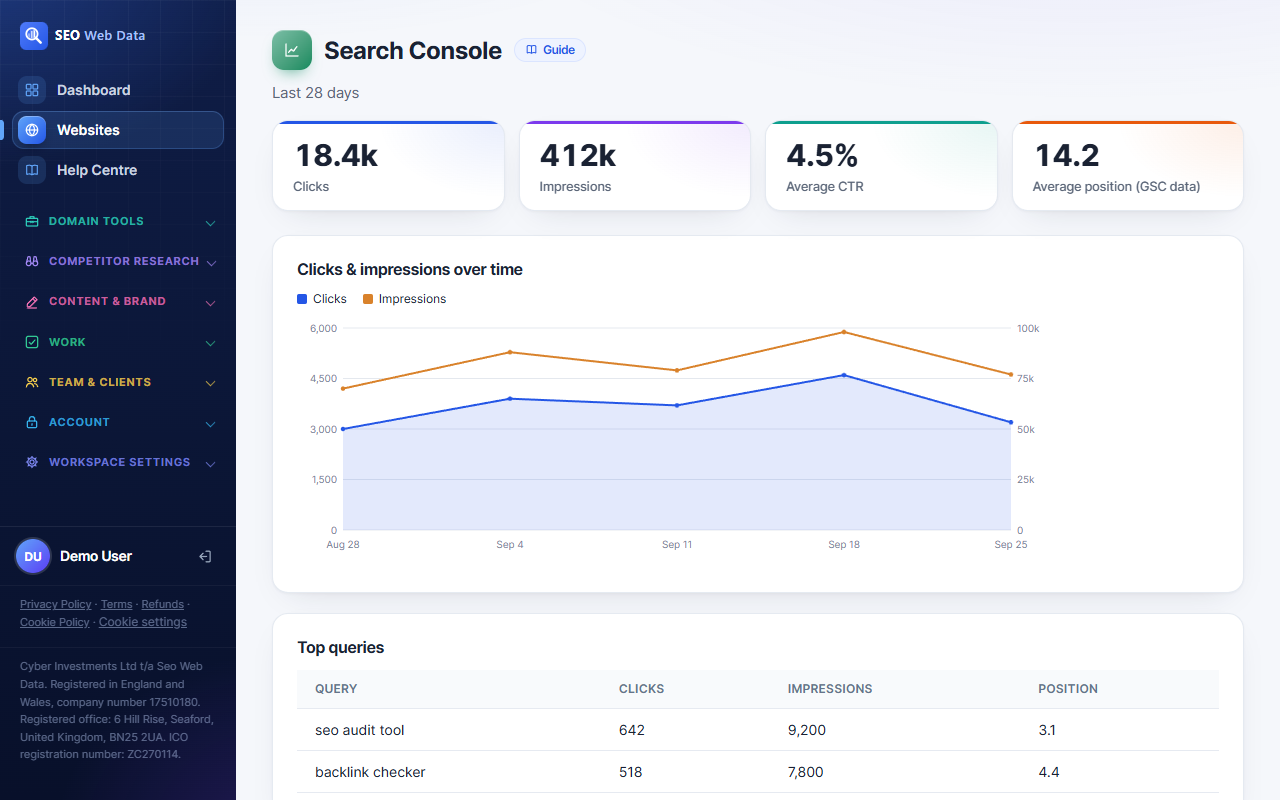
Once your Google account is connected, Search Console data — clicks, impressions, average position, the actual queries driving traffic — appears against every page and keyword right alongside your crawl and ranking data, instead of living in a separate tool you have to switch to.
Because it's real Search Console data, it reflects exactly what Google reports for your site, filterable by device, country and date range the same way Search Console itself allows.
How it works
Once your Google account is connected, Search Console data — clicks, impressions, average position, and the actual queries driving traffic — appears against every page and keyword right alongside your crawl and ranking data, instead of living in a separate tool you have to switch to and export from manually.
Because it's real Search Console data pulled through Google's own reporting, it reflects exactly what Google reports for your site, filterable by device, country and date range the same way Search Console itself allows — nothing is estimated or modelled.
Why connecting it here matters
Search Console on its own tells you what queries bring traffic; it doesn't tell you why a page's rankings are what they are, or what's technically wrong with it. Sitting that data next to rank tracking and technical checks for the same page turns three separate investigations into one.
- Query-level detail next to crawl and ranking data makes it easier to spot which technical issues are actually costing clicks.
- Historical trends stay available without needing to manually export from Search Console before Google's own retention window closes.
- One connected view feeds directly into opportunities worth acting on, which is built entirely from this data.
- No sampling or estimation — because it’s pulled directly from Google’s own reporting, the numbers match what you’d see logging into Search Console yourself.
For the business-outcome side of the same traffic — engagement, conversions — see Google Analytics, alongside it.
Frequently asked questions
Is this a copy of my Search Console data, or a live connection?
It's a live connection to your own Google account's Search Console data — not a one-time import.
Do I need to keep Search Console open separately?
No — once connected, this is designed to replace switching to Search Console for day-to-day checks.
Can I also connect Google Analytics?
Yes — see Google Analytics, alongside it for that connection.
Can I connect more than one Search Console property?
Yes — each website added to your account can have its own connected Search Console property.