
Google Business Profile management
Keep your business information accurate and see how your profile is performing, without leaving the dashboard you already use for the rest of your SEO.
Availability note: Google Business Profile management depends on Google approving access to its Business Profile APIs. Until that approval is in place it is shown in the app as temporarily unavailable; local rank tracking does not depend on it.
What's included
- Profile details in one place
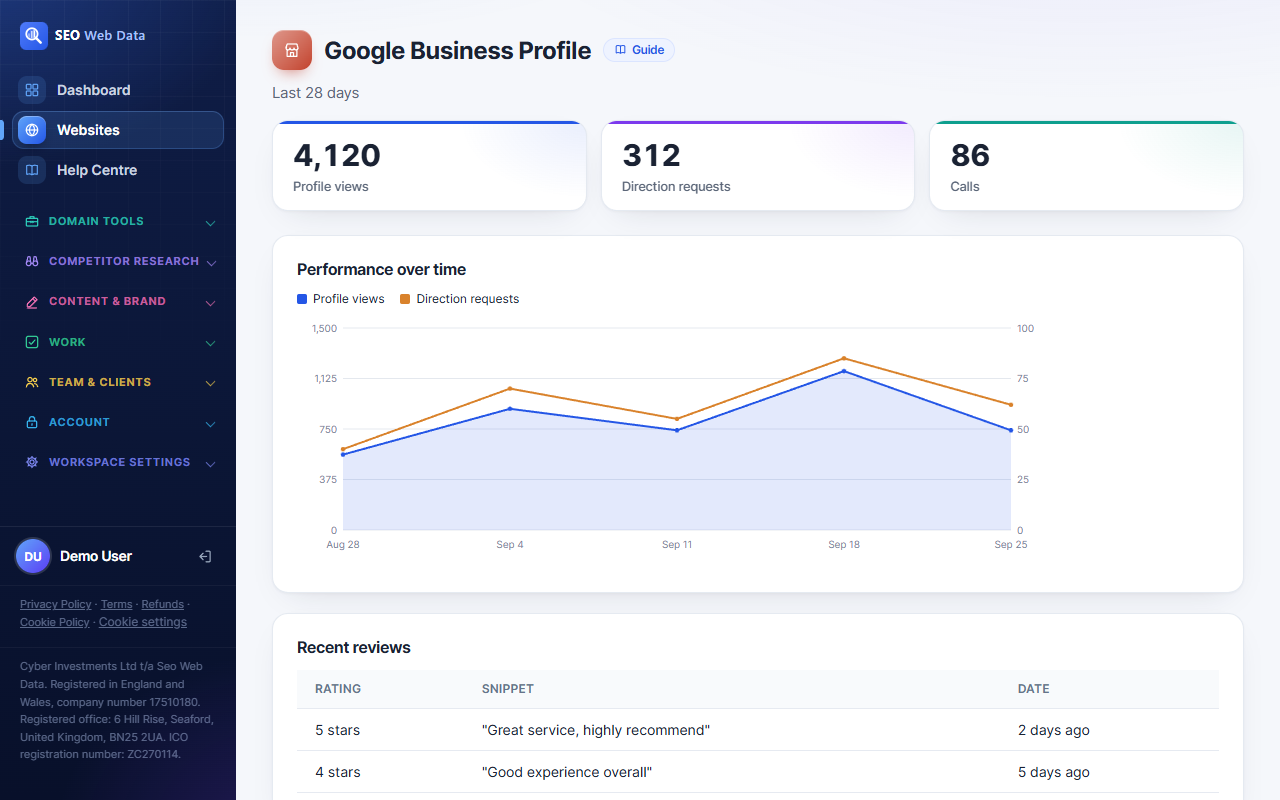
- Performance overview
- Alongside your other local data
Keeping your business details (hours, address, categories, photos) accurate directly affects how often you show up in local results and the map pack, so having that in the same dashboard as the rest of your SEO work means it's less likely to be forgotten or left stale.
A performance overview shows how your profile is doing without needing to separately log into Google's own interface to check.
How it works
Once your Google Business Profile is connected, your core details — name, address, phone number, hours, categories and photos — are pulled into the same dashboard you use for the rest of your SEO, so you can check them alongside local rank tracking and review monitoring instead of signing into a separate Google interface.
Profile performance — views, searches, and the actions people take from your listing (calls, direction requests, website clicks) — is summarised in the same place, so a change in local visibility can be checked against both ranking data and raw profile activity at once.
Why this matters
Google Business Profile details are a direct local ranking input, not just a business card — an out-of-date category, a closed-but-listed-as-open status, or hours that don't match your website are the kind of small inconsistencies that quietly cost local visibility, and they're easy to let go stale precisely because checking them means opening a separate tool most teams don't visit often.
- Multi-location businesses can check every branch's profile from the same place they check its rankings and reviews, rather than juggling logins per location.
- Agencies managing a client's local presence get one dashboard to hand off, rather than needing separate Google account access per client — see client portal for how that access is scoped.
- Seasonal businesses can catch stale hours or an outdated "temporarily closed" flag before it costs a holiday week of local traffic.
- Post scheduling and photo updates can be planned in advance rather than handled ad hoc, so a profile doesn’t go quiet between updates.
Frequently asked questions
Can I edit my profile from here?
You can review and manage the core profile details and posts from the dashboard; anything outside that scope is still managed directly in Google Business Profile.
Does this affect my local rankings directly?
Keeping details accurate is one input among several — see local rank tracking for the ranking side of the picture.
What if I manage profiles for multiple clients?
Each website (and its connected profile) is independent in the account, the same way it works across the rest of the agency features.
Can I schedule posts in advance?
Yes — posts and photo updates can be planned ahead rather than published one at a time as they come to mind.