
Domain Health Check
One scan, 40+ checks and a single score. See exactly how healthy a domain is and which problems to fix first — without reading a line of raw DNS output.
What's included
- Score out of 100 with a breakdown by area
- DNS, email, SSL/TLS, security and website checks
- Plain-English fixes, most important first
- Saved reports with a permanent link and score history
A domain can look fine in a browser while hiding problems that cost you traffic and trust: a certificate that expires next week, mail that fails authentication, a nameserver that stopped answering. The Domain Health Check finds them all in a single pass.
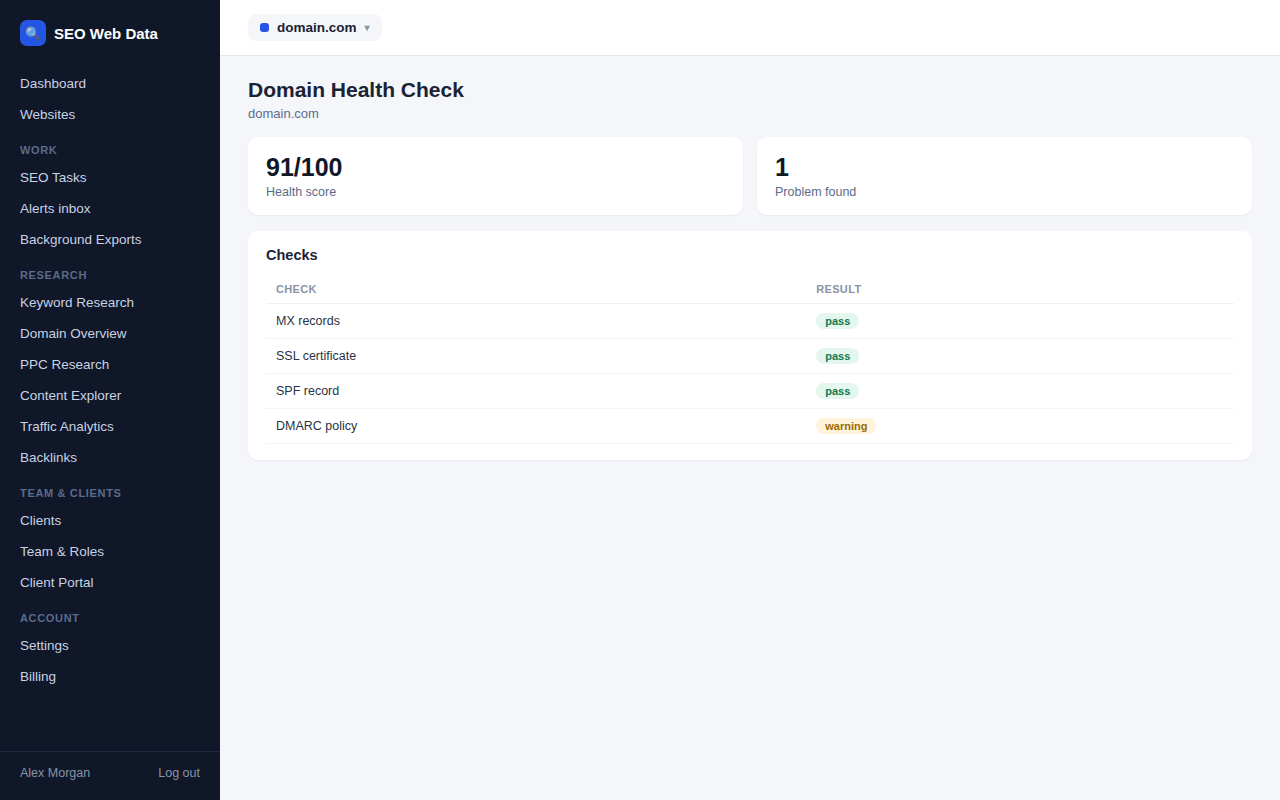
Enter a domain and within moments you have a report that groups every finding under five headings and rolls them into one score, so a glance tells you whether all is well or something needs attention.
What the scan covers
The report looks at five areas, each with its own sub-score so you can see where the weakness lies rather than just that one exists.
- DNS: records resolve correctly, nameservers respond and agree with each other, and the setup has no single point of failure.
- Email: the domain publishes valid SPF, DKIM and DMARC records and has working mail servers.
- SSL/TLS: the certificate is valid, complete, not close to expiry, and served over modern encryption only.
- Security: protective headers, certificate-issuance rules and DNS signing are in place.
- Website: the site responds quickly, redirects sensibly and is reachable over current protocols.
Fixes you can act on
Every finding is marked as passed, worth a look, or failed, and comes with an explanation of why it matters and what to change. Nothing is buried in an appendix: the items that most affect your score sit at the top under “Fix these first”, so you can work down the list or hand it straight to whoever manages your hosting.
When you need to correct something, the record generators produce the exact record to publish, and the specialist tools such as the email authentication tools let you test the change before you rely on it.
Track it over time
Each report is saved and can be reopened later from its own link, together with a history of previous scores. That makes it easy to show a client the “before and after” of a clean-up, or to spot a domain that has quietly slipped since the last check. If you re-run a domain moments after checking it, you’ll see the recent result straight away, with a button to run a fresh scan when you need one.
A saved report can also go out as a branded PDF or a share link under your own logo, so a client sees the same “before and after” without needing a login of their own.
When to run it
Run a health check whenever something about the domain has changed or is about to. It takes seconds, and it’s far cheaper to discover a problem on your own terms than after a customer reports it.
- Before a launch or migration, to confirm DNS, certificates and email are ready.
- After moving host or changing nameservers, to make sure nothing was left behind.
- When onboarding a client, to give your first report a clear starting score.
- During a pitch, to show a prospect concrete, checkable problems on their own domain.
- Every quarter, as a routine check-up that catches slow decay such as a renewal that never happened.
Making it part of your routine
The most useful health check is the one you run regularly. Many teams check every client domain at the start of each month and keep the saved reports as a running record. Because the score is a single number, it’s easy to spot when a domain has drifted, and because the findings are ordered by importance, the person who picks up the report doesn’t need to work out where to begin.
After a clean-up, an AI mentions baseline is a quick way to see where the domain is already cited in AI answers.
Frequently asked questions
How is this different from an SEO site audit?
A site audit crawls your pages for content and technical SEO issues. The Domain Health Check looks underneath: the domain name, DNS, email, certificate and server configuration your site depends on. The two complement each other — see site audits & technical SEO.
Can I run it on someone else’s domain?
Yes. It works for any public domain, so you can audit a prospect or a client’s new domain before you start work.
How long does a scan take?
Usually a few seconds to a little under a minute, depending on how quickly the domain’s servers respond.
Does it change anything on the domain?
No. Every check is read-only, so running it never alters the domain or its settings.
Will the report tell me exactly how to fix each problem?
Each finding explains what was found, why it matters and what to change. Where a fix means publishing a new record, the record generators can produce it for you.