
AI Mentions Baseline
Not sure where to begin? Run a one-off lookup to see the questions where AI answers already cite your domain — and which other sources appear beside you.
What’s included
- A lookup for ChatGPT or Google AI Overviews
- Questions where your domain is cited
- How often each question is asked
- Sources cited alongside you
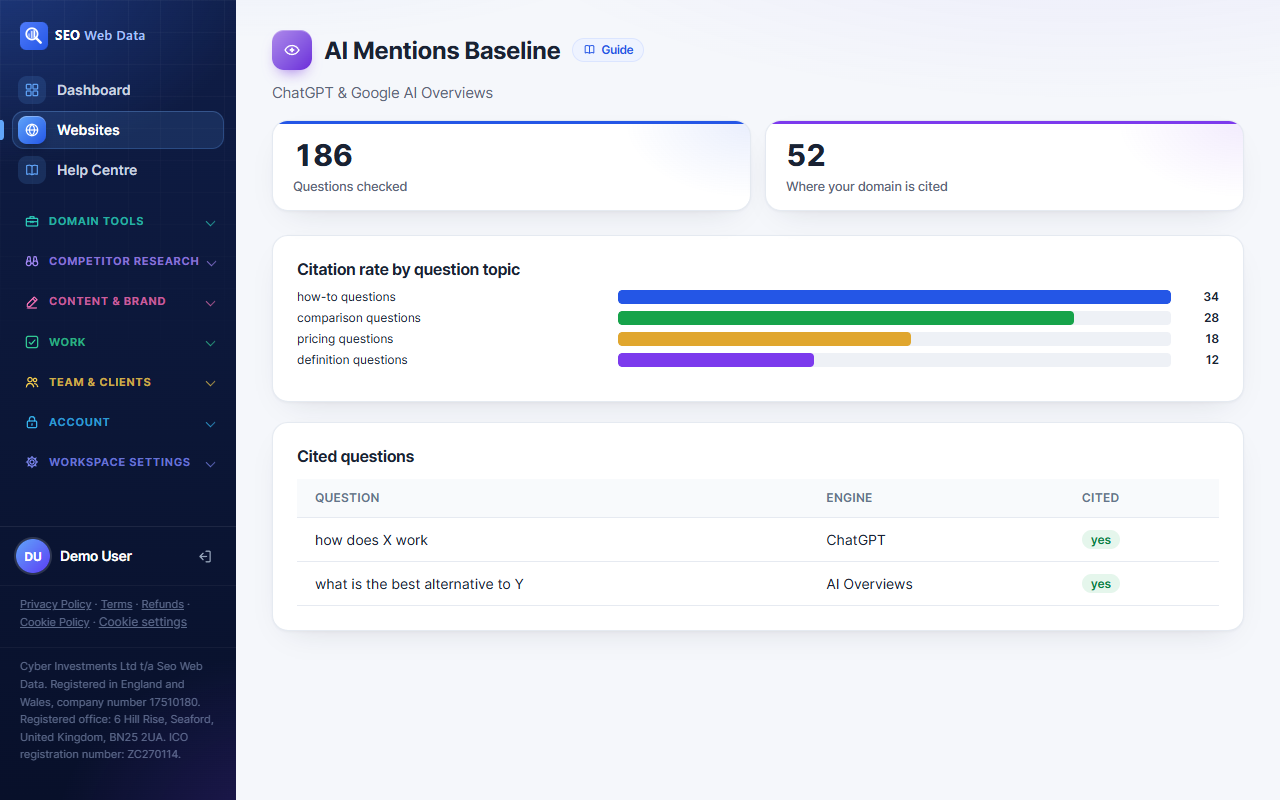
Prompt tracking tests the questions you choose. The mentions baseline works the other way round: it looks at a large collection of AI answers and reports the questions in which your domain was already used as a source. It is a fast way to discover what you are known for, without writing a single prompt.
Choose a platform, click “Look up”, and within moments you have a table of questions with their estimated AI search volume, alongside a list of other sources that were cited in the same answers.
What the baseline is, and is not
The baseline is a sample of a collection of AI answers. It is not a test of your own prompts, and it does not cover every answer an engine has ever given. If a lookup returns nothing for your domain, that does not mean you are absent from AI answers; it means the collection held no matching answers. For a controlled test, use tracked prompts.
Used properly, the baseline is a starting point. It gives you real questions, real wording and real search interest to build on, which is exactly what you need to write good prompts.
Using the results
- Find your strengths. Questions where you are already cited show which of your pages the engines trust.
- Spot the neighbours. The “cited alongside you” list shows the sites that keep appearing in the same answers. Those are your true competitors for AI attention.
- Prioritise by demand. The volume figure shows which of the questions people ask most often.
- Seed your prompts. Copy strong questions into prompt tracking so they are monitored from now on.
ChatGPT and Google AI Overviews
The lookup can be run for ChatGPT or for Google AI Overviews. The second is especially useful because AI Overviews appear inside ordinary search results, so it connects directly to the work you already do in Search Console and analytics. If a page earns clicks in Search Console and is also cited in AI Overviews, you have found a page worth protecting and building on.
Cost and caching
A baseline lookup uses more of your monthly AI visibility checks than a single prompt run, and the page tells you exactly how many before you click. To avoid paying twice for the same information, a repeat lookup for the same site within a week is served from the stored copy for free. Previous lookups remain on the page with the date they were run, so you can compare one against the next.
When to run it
Run a baseline when you add a new website, when you start work for a new client, or after a significant content project to see whether the picture has changed. It is also a handy sales tool: a quick look at where a prospect’s domain is cited today gives you something concrete to discuss before you begin. Combine it with a domain health check and you have a strong first audit.
Reading the volume figures
The volume shown beside each question is an estimate of how often it is asked, so use it to rank your opportunities rather than to forecast traffic. A question with modest volume that you are already cited for may be worth more than a huge one where you have no presence, because you have a foothold to build on.
Frequently asked questions
Why did my lookup return no results?
The collection of AI answers held no matching answers for your domain. That is not proof you are absent from AI answers, so use tracked prompts for a controlled test.
How much does a lookup cost in checks?
It uses more of your monthly allowance than a single prompt run. The page shows the exact number before you run it, and repeat lookups within a week are free.
What does the search volume number mean?
It is an estimate of how often people ask that question of AI assistants. Treat it as a guide to relative demand rather than an exact count.
Can I run a baseline on a competitor?
The baseline looks up the domain of the website you are viewing. To compare with rivals, add them as competitors and use prompt tracking.