
Email authentication tools
Make sure the email you send is trusted. Check SPF, DKIM and DMARC, examine mail servers and headers, and read DMARC reports without wading through raw XML.
What's included
- Combined email authentication score
- SPF, DKIM and DMARC checkers
- MX, reverse DNS, MTA-STS, TLS-RPT and BIMI
- Email header analyser and DMARC report analyser
Email providers increasingly judge your messages by how well your domain proves they’re genuine. Get the records wrong and legitimate mail lands in spam, or worse, someone else can send mail that appears to come from you.
The Email Authentication Checker examines everything in one go and scores it, while individual tools let you dig into each record when something needs fixing.
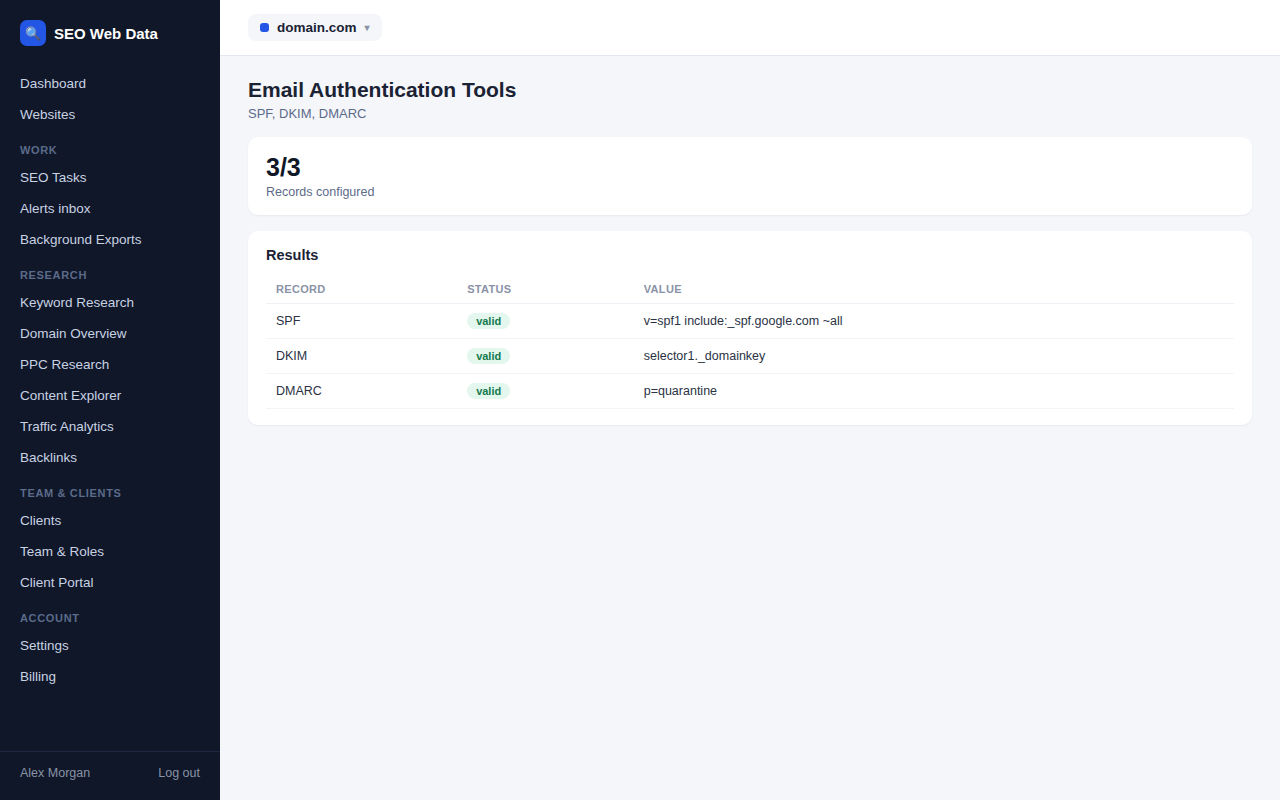
The three records that matter most
- SPF lists the servers allowed to send mail for your domain. The checker validates the syntax, follows every include, and warns if you’re close to the limit on lookups that can silently break the record.
- DKIM adds a digital signature to your messages. Enter the selector your provider gave you, or leave it blank and the tool tries dozens of common ones to find it.
- DMARC tells receivers what to do when a message fails. The analyser explains each setting, shows whether your policy is only monitoring or actively protecting, and checks that report addresses are authorised.
Beyond the basics
The same section covers the supporting records that mature email setups use: mail-server priorities, reverse DNS on the sending address, transport-encryption policies, reporting addresses for encryption failures, brand logos shown in supporting inboxes, and DNS-based certificate pinning. Each is checked and explained, and marked as optional where it genuinely is.
Understand what really happened to a message
Paste the full headers of a message that misbehaved and the header analyser lays out its journey, hop by hop: where it came from, how long each stage took and whether it passed authentication. It’s the quickest way to see why a message was delayed or flagged.
Upload the aggregate reports that mailbox providers send you and the DMARC report analyser turns them into readable summaries showing who is sending mail as your domain and how much of it passes. Files can be uploaded as XML, or compressed as gz or zip. Pasted headers and uploaded reports are analysed and then discarded rather than stored.
When a record needs writing or rewriting, use the record generators.
Who it helps
Email authentication touches marketers, developers and business owners alike, and the tools are written so that any of them can follow the results.
- Marketing teams who send newsletters and campaigns and need to know why open rates suddenly dropped.
- Agencies setting up email for a client’s new domain and wanting proof that it’s configured correctly.
- Small businesses whose invoices and quotes keep ending up in customers’ junk folders.
- Site owners worried that someone is sending scam messages that appear to come from their domain.
Start with the scored Email Authentication Checker for the overall picture, then use the individual tools to work through whatever it flags. Because each tool is read-only and works on public records, it’s safe to run against a live domain at any time, and to check a client’s or supplier’s setup as easily as your own.
Fixing problems step by step
Most email setups improve in stages. Publish a working SPF record and a DKIM key first, then introduce DMARC in monitoring mode, read the reports for a few weeks, and only then tighten the policy so unauthenticated mail is quarantined or rejected. The tools support each stage: the checkers confirm the records are valid, the report analyser shows what is really being sent in your name, and the generators help you write the next version. Nothing forces you to move faster than is comfortable for your business.
Frequently asked questions
Do I need all three of SPF, DKIM and DMARC?
For reliable delivery, yes. Major mailbox providers now expect all three from anyone who sends mail in volume.
Why does my SPF record fail even though it looks right?
SPF allows only ten DNS lookups. Too many includes exceed the limit and the record stops working; the checker counts them for you.
Can I test a record before publishing it?
Yes. You can paste an SPF record into the checker to validate it before it goes live.
Are pasted headers or uploaded reports kept?
No. They’re analysed on the spot and not stored.
What does the score tell me?
It summarises how complete and correct the domain’s email setup is, so you can compare domains at a glance and see progress as you make fixes.