
New & lost backlink alerts
Get notified when you gain a valuable new backlink, or lose one you had — so you can follow up on new opportunities and investigate drops before they affect your rankings.
What's included
- New backlink notifications
- Lost backlink notifications
- Backlink history over time
Gaining or losing a backlink often signals something worth knowing about immediately — a piece of content that started getting shared, a page that was removed or a partner site that changed its links — rather than something to notice weeks later during a routine check.
Both new and lost links appear in the same alert stream as your other SEO notifications, so backlink changes don't require a separate habit of checking a different screen.
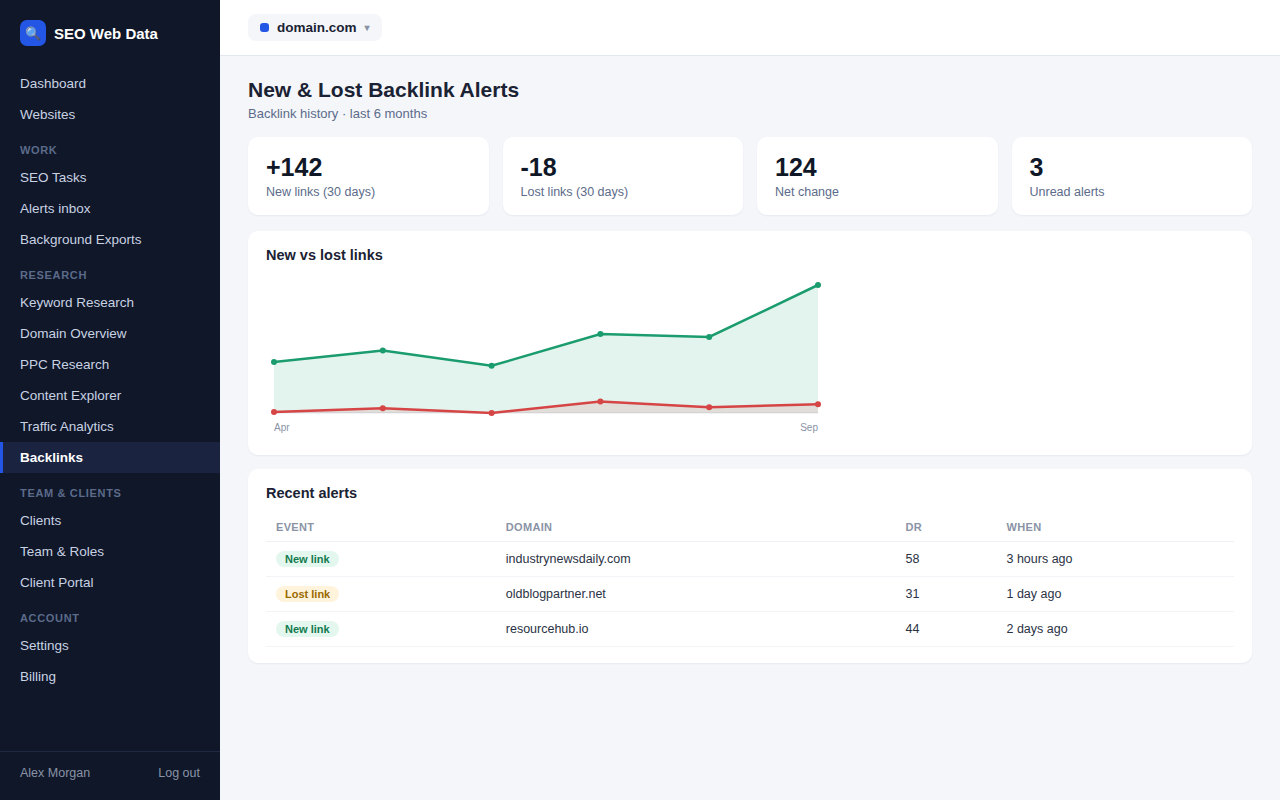
How it works
The same crawl that maintains your backlink database also detects when a link appears or disappears, and pushes that change straight into your alerts stream rather than waiting for you to notice it during a routine browse of the database.
Both new and lost links appear alongside your other SEO notifications — see alerts inbox & webhooks — so backlink changes don't require a separate habit of checking a different screen.
Why timing matters here
Gaining or losing a backlink is often a signal worth acting on immediately, not weeks later. A new link frequently means a piece of content just started getting shared or mentioned — worth knowing about while the conversation is still active, in case there's a follow-up opportunity. A lost link can mean a page was removed, a partner site redesigned without carrying links over, or something less innocent — worth investigating before it has time to affect rankings.
- New link follow-up — thank a site that linked to you, or spot a fresh partnership opportunity while it's still relevant.
- Lost link investigation — a sudden drop in referring domains is often explainable in minutes if you catch it early, and much harder to diagnose months later.
- Pattern spotting — a cluster of lost links from the same source can point at a wider issue (a site redesign, a policy change) rather than isolated coincidence.
- Disavow candidates — a sudden run of low-quality new links is exactly the kind of pattern worth flagging for review before it affects your link profile’s overall quality.
Frequently asked questions
How quickly are these alerts delivered?
Alerts follow the same delivery options as the rest of the dashboard — inbox, email, and webhooks on eligible plans — see alerts inbox & webhooks.
Can I filter which link changes trigger an alert?
Alert thresholds and filtering options are configurable so low-value link churn doesn't flood your inbox.
Does this replace browsing the full backlink database?
No — alerts flag the change; the backlink database is still where you go to investigate the full context.
Are internal links included in these alerts?
No — these alerts cover external backlinks; internal link issues are covered separately under technical SEO checks.