
Backlink database
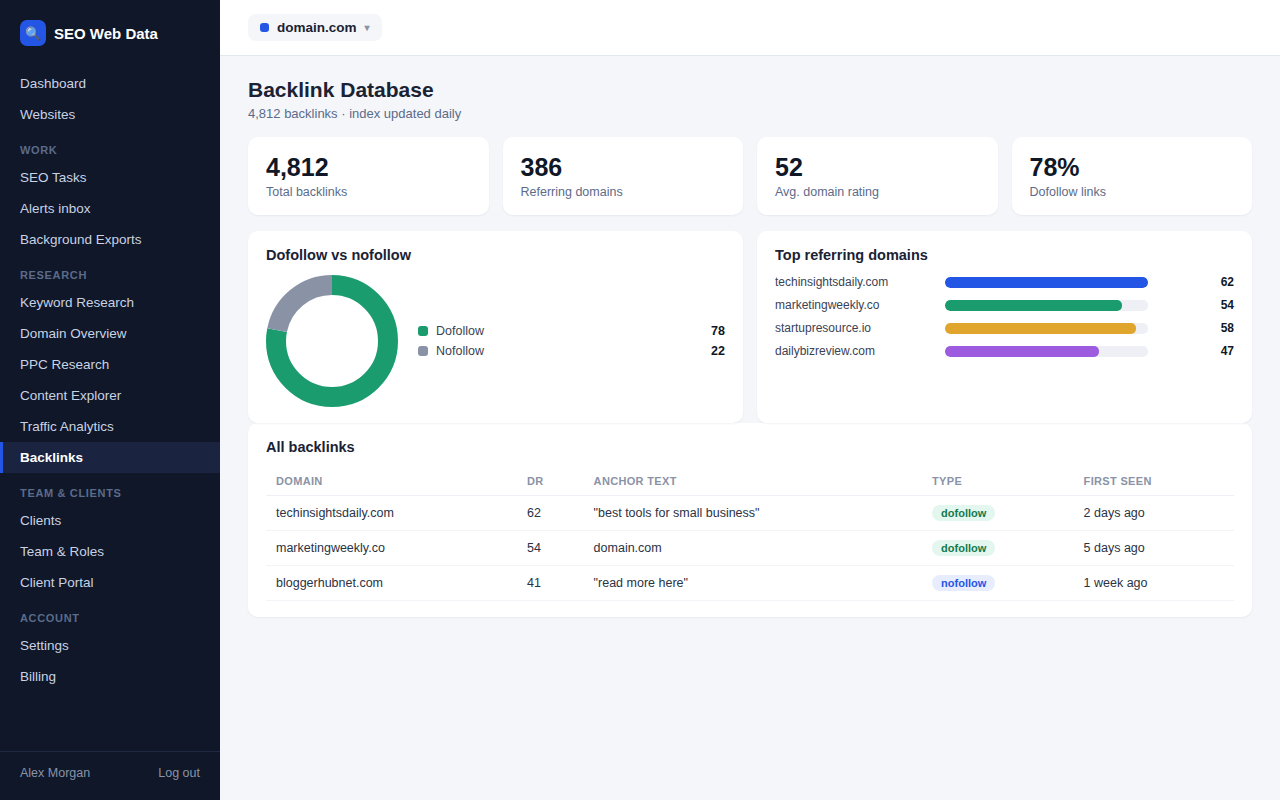
Browse the backlinks pointing at your website, including the referring domain, the anchor text used, and when each link was first seen — a clear picture of your current link profile.
What's included
- Referring domains & individual backlinks
- Anchor text overview
- Third-party authority context
Every backlink found is listed with its referring domain, the anchor text used, and when it was first seen — enough context to judge at a glance whether a link is worth following up on (a partnership opportunity, a mention worth thanking someone for) or worth investigating further.
Because it's a running database rather than a one-off scan, it becomes more useful the longer an account uses it — your link profile's history builds up over time.
How it works
Every backlink found is listed with its referring domain, the exact anchor text used, and when it was first seen — enough to judge at a glance whether it's a partnership worth following up on, a mention worth thanking someone for, or something that needs a closer look. Because it's a running database rather than a one-off scan, it keeps building history the longer an account uses it, rather than resetting with each check.
New links and lost links are also fed into your alerts stream — see new & lost backlink alerts — so the database itself stays the place you go to browse and investigate, not the place you find out something changed.
Why a link database, not just a link count
A single "you have 4,800 backlinks" number says almost nothing on its own — what matters is where those links come from, what they say about you, and whether the mix is healthy. Browsing the actual database, rather than a summary statistic, is what lets you tell a strong editorial mention apart from a low-value directory listing.
- Finding partnership opportunities — a site that already links to you once is often a good candidate for a deeper collaboration.
- Auditing anchor text — an unnatural pattern in anchor text is worth knowing about before it becomes a bigger problem.
- Competitive context — compare your own link profile against a tracked rival's using competitor intelligence.
- Follow vs. nofollow breakdown makes it easy to see how much of your link profile carries direct ranking weight versus referral value alone.
Frequently asked questions
How current is the backlink data?
The index updates on an ongoing basis — check frequency scales by plan, see Pricing.
Can I export the full backlink list?
Yes — see data exports for available formats.
Does this show links to specific pages, or just the domain?
Individual backlinks are listed, so you can see exactly which of your pages a link points to, not just an aggregate domain total.
Can I filter the database by link type or date?
Yes — the database can be filtered by follow/nofollow status, date discovered, and referring domain, among other fields.