
Looker Studio, Sheets, Slack & Teams
Bring your SEO data into the dashboards and chat tools your team already uses, without exporting files by hand.
What's included
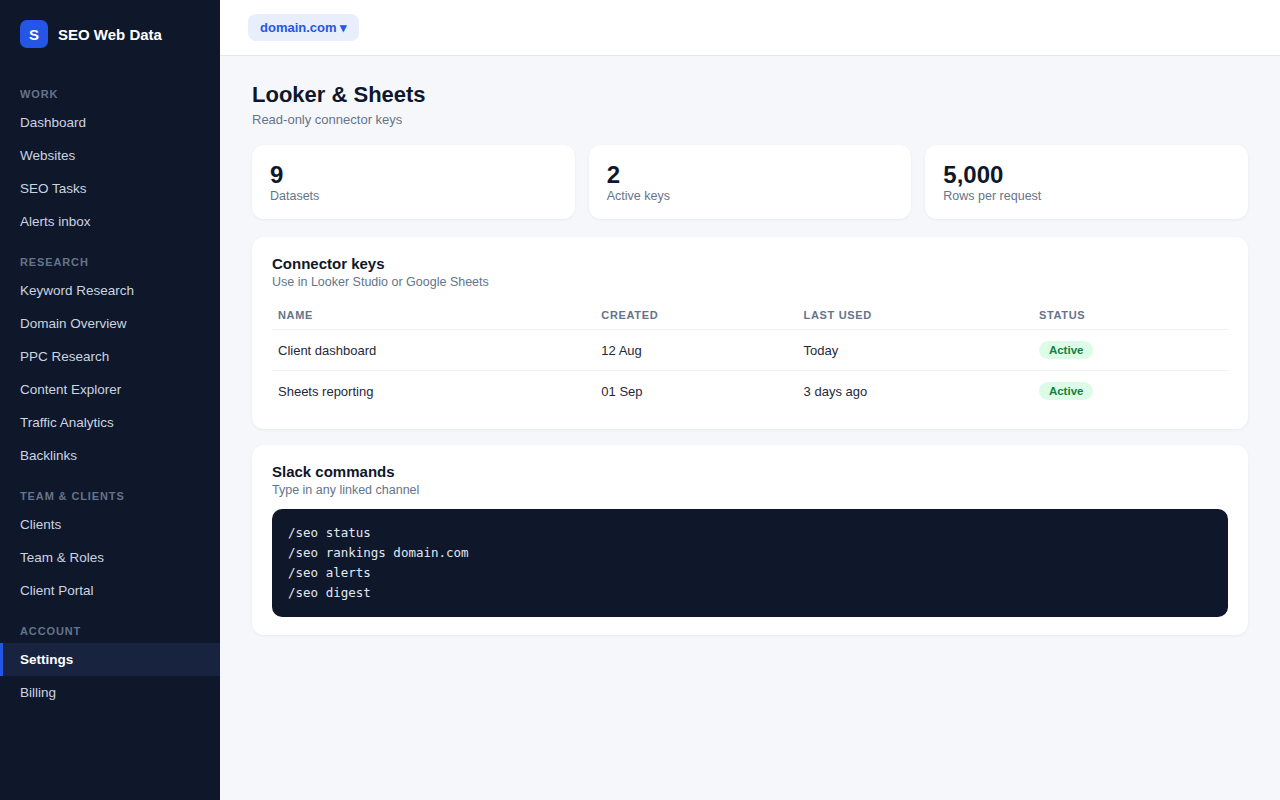
- Nine datasets for Looker Studio and Google Sheets
- A read-only connector key you control
- Alerts and the weekly digest to Slack and Teams, plus /seo commands in Slack
Create a connector key and follow the steps for Looker Studio or Google Sheets to pull datasets such as Search Console, Analytics, rankings, issues and health. Blend them with sales, ads or CRM data to build a single client dashboard combining organic clicks with conversions and revenue.
Add an incoming webhook for Slack or Microsoft Teams, choose which alerts to send and send a test message. With the Slack app you can also type /seo commands such as status, digest, alerts, rankings and sites to get answers without leaving the chat.
How it works
The connector key is read-only, so it can pull data but never change anything, and you can create or remove keys yourself. Requests return up to 5,000 rows and 366 days at a time. Chat connections pause themselves after repeated failures, so a dead webhook does not keep retrying, and you can resume them once it is fixed.
Why connect them
- One dashboard for SEO, sales and ads.
- Alerts where the team works instead of another inbox.
- Quick answers from Slack without opening the platform.
What it does not do
The connectors are read-only and work with the datasets listed, not every screen. Chat integrations send alerts and summaries; they do not let anyone change settings.
Works with the rest of the platform
See the public API for programmatic access, webhooks for your own systems and data exports for one-off downloads.
Frequently asked questions
How much data can I pull?
Up to 5,000 rows and 366 days per request.
Can the connector change my data?
No. The connector key is read-only.
Why did Slack or Teams messages stop?
After repeated failures a connection pauses itself. Check the webhook is still valid and resume it.
Which alerts go to chat?
You choose which alerts to send, and the weekly digest can be posted too.