
Social post drafts
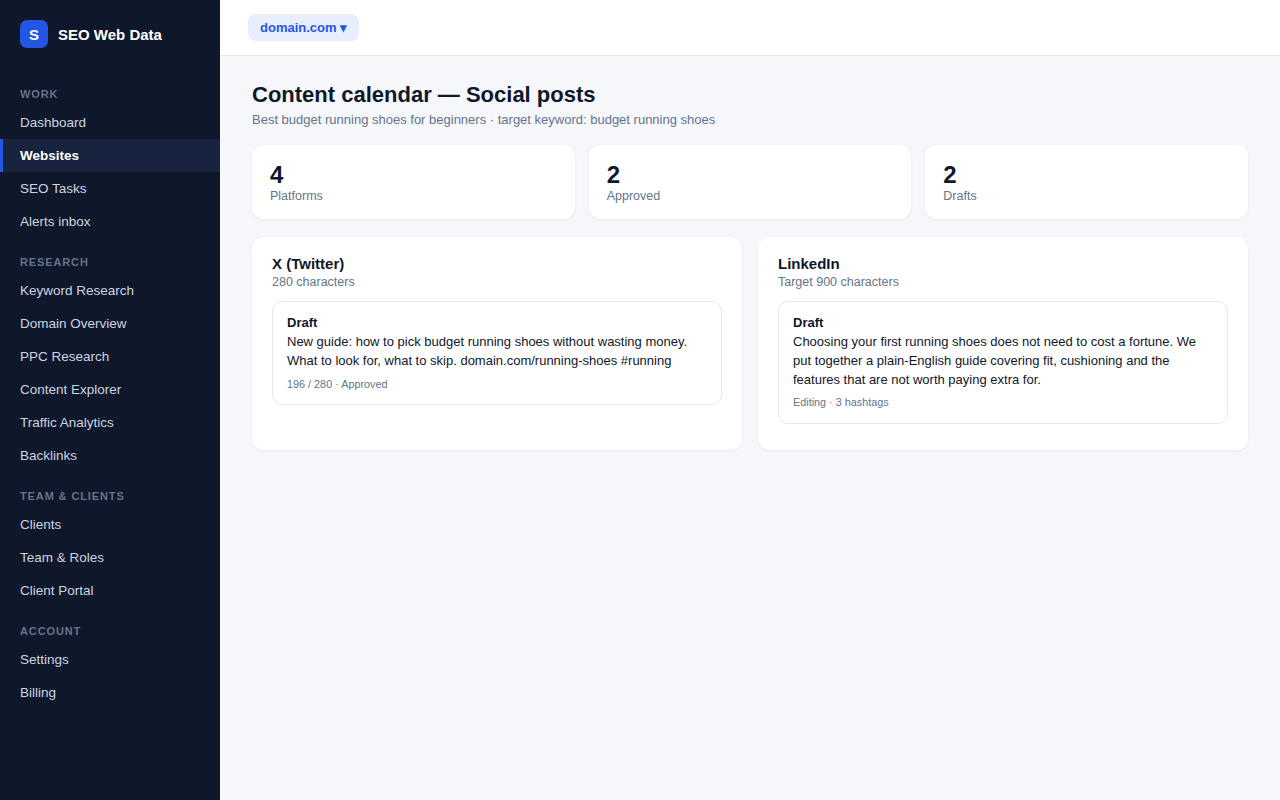
Every article on your content calendar can have promotion copy ready in a click: a draft for each social platform you choose, written to fit that platform, for you to edit, approve and post yourself.
What's included
- Drafts for X, LinkedIn, Facebook and Instagram
- Length and hashtag limits built in for each platform
- Edit, approve and copy — nothing is ever posted for you
Open any item on your content calendar, tick the platforms you want and generate. One request writes a version for each platform, in a tone that suits it: short and punchy for X, more professional for LinkedIn, friendly for Facebook and hook-first for Instagram.
You edit the text and hashtags in place, approve the drafts you like, and copy the final version to post from your own account. Approved drafts are kept safe: generating again skips any platform you have already approved.
How it works
Each draft starts from what you already have on the calendar item — its title, target keyword, notes and the website it belongs to — so the copy is about the page you are actually publishing. The drafts are written with the AI features you have switched on, and they follow the same limits and allowances as the rest of the AI tools. There is nothing extra to connect, and no social account is ever linked.
Why draft social posts alongside the calendar
- Promotion is not forgotten — the post is written at the same time as the page, not weeks later when nobody remembers what it was about.
- Right size for the platform — character limits and hashtag counts are respected, so you are not trimming text by hand.
- One place for the whole team — writers, editors and the person who posts all work from the same approved copy.
What it does not do
Social post drafts never connect to a social account and never publish anything. There is no scheduling and no engagement reporting. You copy the approved text and post it yourself. That keeps a person in control of what goes out under your name.
Works with the rest of the platform
Once a post is live, the social mentions view can show you when other people share or link to your page, and the AI drafts follow the limits you set in your AI settings. See Content & AI Tools for the rest of the writing workflow.
Frequently asked questions
Does it post to my social accounts?
No. It only writes drafts. You copy the approved text and post it yourself, so nothing is published without you.
Will generating again overwrite my edits?
Drafts you have already approved are skipped and left exactly as they are. Drafts you have not approved yet are replaced with a fresh version.
Does it use my AI allowance?
Yes. One generate click is one AI request covering every platform you ticked, and it follows your AI settings and monthly limits.
Which platforms are covered?
X, LinkedIn, Facebook and Instagram captions.