
DNS lookup & propagation
See exactly what the internet sees for any domain: every record type, reverse lookups, and whether a recent change has reached resolvers around the world.
What's included
- Lookups for A, AAAA, MX, TXT, NS, CNAME and many more record types
- Full lookup showing every record on one page
- Reverse DNS with forward confirmation
- Propagation and nameserver consistency checkers
DNS is the address book that connects your domain name to your website, your email and your other services. When it’s wrong, things break in ways that are hard to diagnose from the outside. These tools make the invisible visible.
Choose a domain and a record type, or pick the full lookup to see everything in one view. Results are laid out in plain tables with the meaning of each record explained beside it.
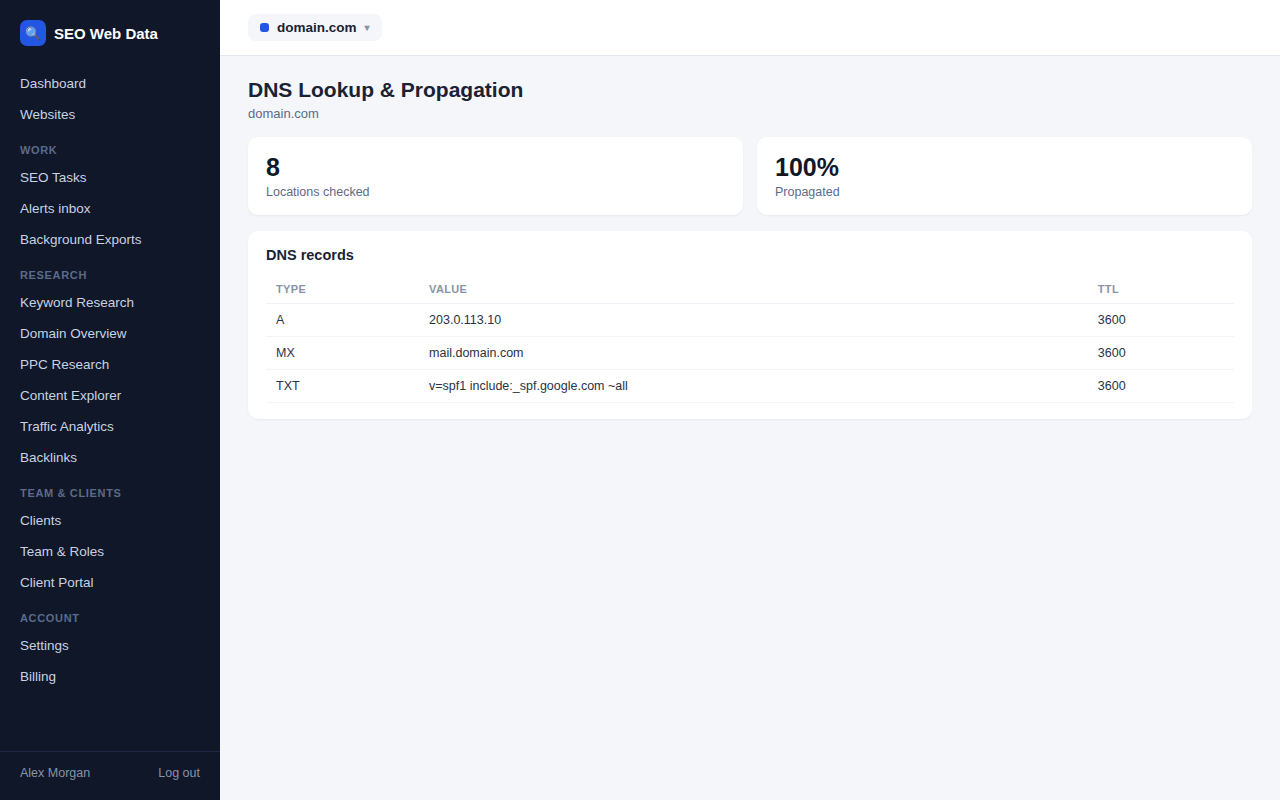
Look up any record
Beyond the everyday address and mail records, the lookup covers the newer and more specialised types too, including service records, certificate-authority rules, signing keys and the modern HTTPS record used to advertise fast connection options. Shortcut pages for the most common types mean a single click gets you to the answer you need.
The reverse DNS lookup goes the other way, turning an IP address into a hostname and then checking that the hostname points back to the same address. That two-way match is what many mail servers look for before trusting a sender.
Has my change gone live?
After you edit a DNS record, different networks pick up the new value at different times because each keeps a temporary copy of the old one. The propagation checker asks a spread of public resolvers in different parts of the world what they currently return and compares them with the answer from the domain’s own nameservers.
- See at a glance which locations already show the new value and which still hold the old one.
- Find out how long any stale copies have left before they refresh.
- Confirm a migration is complete before you switch off the old server.
Nameserver consistency
A domain’s nameservers should all give the same answers. This check compares the delegation held by the registry with the nameservers listed in the zone, flags any that don’t respond, confirms their records carry the same version number, and reports whether they sit on genuinely separate networks. It’s a quick way to find the cause of intermittent problems where a site works for some visitors and not others.
Once DNS looks right, carry on with the DNS security audit or check the domain’s email authentication.
Everyday uses
DNS lookups are the first thing a developer or SEO reaches for when a site behaves oddly, and having them next to your other SEO data saves time.
- Confirm a migration: check that the address, mail servers and verification records all point where you expect.
- Find missing verification records: see the TXT records that services such as search engines and email providers ask you to add.
- Investigate an outage: compare what your nameservers say with what public resolvers are returning.
- Audit a competitor’s setup: see which providers handle their website and email.
Reading the results with confidence
Each result page explains what the records mean, not just what they say. A record that points at an address, an alias, a mail server or a text value is labelled and described, and anything unusual, such as a very short cache time or an alias sitting where it shouldn’t, is called out. That means you can use the tools even if DNS isn’t your specialist subject, and hand the same page to a developer or hosting provider when you need their help.
Every lookup has its own address too, so a result can be bookmarked or dropped into a ticket for a colleague to open and see for themselves.
Frequently asked questions
Why do some locations show an old value?
DNS answers are cached for a set time called the TTL. Until that time runs out, some resolvers keep serving the previous value, which is normal after a change.
Can I get the results as data?
Yes. Lookup results can also be returned in JSON format, which is handy for scripts and monitoring.
Does it use my own computer’s DNS settings?
No. The lookups are made independently, so the answers aren’t affected by your local network, VPN or browser cache.
Which record types are supported?
All the common types and many specialised ones, including A, AAAA, CNAME, MX, NS, TXT, SOA, CAA, SRV, DNSKEY, DS, HTTPS and TLSA.
How long should I wait after changing a record?
It depends on the TTL that was set on the old record. The propagation checker shows how much time remains on any cached copy, so you can tell when the change should be complete.