
SEO autopsy
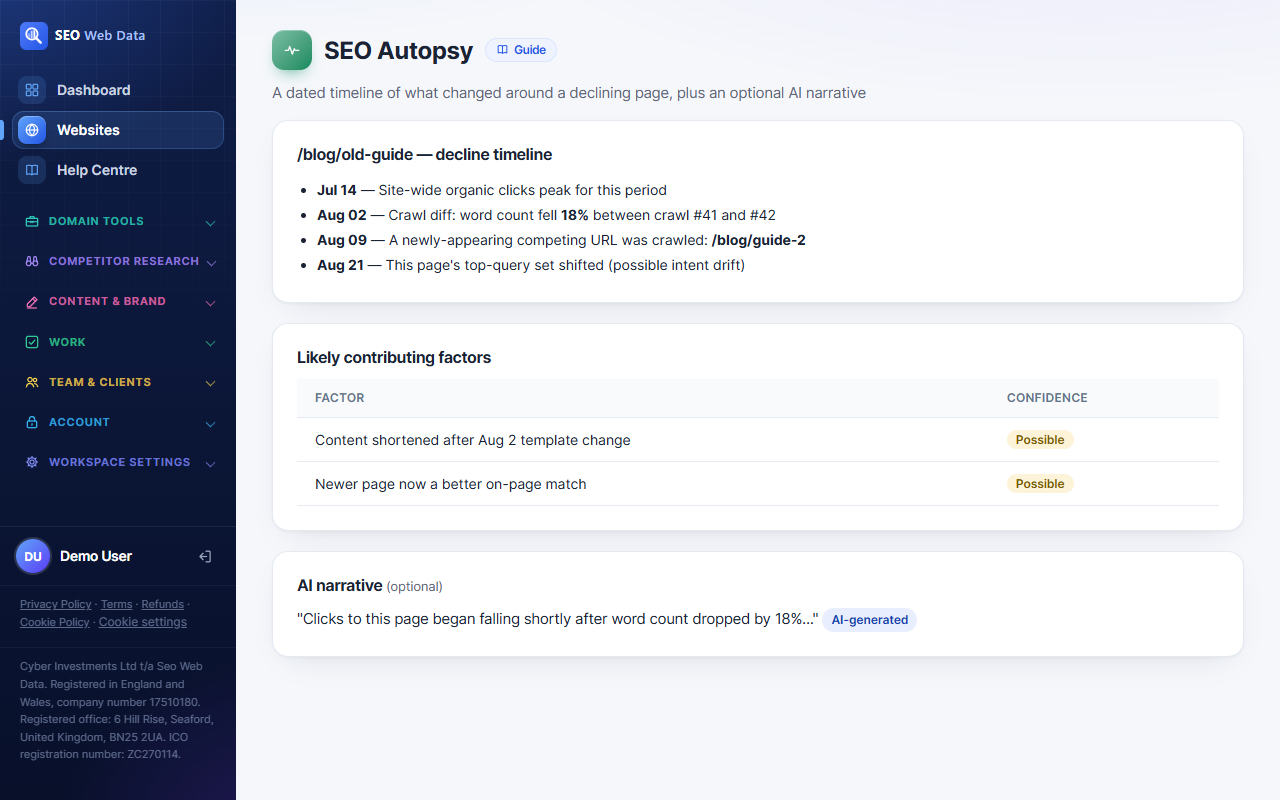
A page in decline raises an obvious question: what actually changed around it? SEO Autopsy answers that for any page already flagged in your declining-pages report, assembling a dated timeline and a list of likely contributing factors purely from facts this app already computed elsewhere — never a generated guess dressed up as analysis.
What's included
- A dated timeline built from your crawl history, Search Console data and query snapshots
- "Likely contributing factors", each traceable to one specific stored fact
- An optional AI narrative that puts the same facts into plain prose — never introduces a new one
A page in decline raises an obvious question: what actually changed around it? SEO Autopsy answers that for any page already flagged in your declining-pages report, assembling a dated timeline and a list of likely contributing factors purely from facts this app already computed elsewhere — never a generated guess dressed up as analysis.
How it works
Start from your existing declining organic pages report and pick a page. The timeline is assembled entirely from facts other parts of this app already store: a site-wide peak-clicks lookup, the field-level diff between the two analysed crawls bracketing the decline window (title, H1, canonical, indexability, schema, internal links, and an exact word-count percentage change), whether a newly-crawled page now scores as a better match for this page's own queries, and whether this page's own top-query set has shifted. Every data source degrades honestly when it isn't available — no Search Console connection, too few stored crawls, no query snapshot yet — each showing a plain "not available" reason rather than a fabricated result.
The optional AI narrative is a separate, deliberate step on top: given the exact same already-assembled timeline and factors, it asks a model to write the story in plain prose — a short summary and a key takeaway — with an explicit instruction not to introduce any fact, number, date or claim that isn't already in the timeline above it. It's clearly labelled "AI-generated", costs a small number of AI credits, and is cached, so viewing the same unchanged autopsy again never re-spends them.
Why it matters
Reconstructing "what changed around this page" by hand usually means opening three or four different reports and lining up dates yourself. This does that lining-up automatically, and is deliberately not a generative guess at what happened — every line in the mechanical timeline points at one specific, already-verified fact, so you can trust it the same way you'd trust any other report in this app. The AI narrative on top is optional precisely because the mechanical version already stands on its own; the narrative just makes it faster to read.
Starts from your Search Console opportunities and pairs with the AI SEO Assistant for turning findings into next steps.
Frequently asked questions
Does the AI narrative invent anything new?
No — it's instructed not to introduce any fact, number, date or claim that isn't in the site data it is given (crawl changes, your own rank checks, search-engine update dates and backlink activity), and it's clearly labelled as AI-generated. Search Console and Analytics data is sent to an AI provider only if your account turns on Google data in AI answers; until then the narrative doesn't use it or mention traffic, and the timeline above it does.
Does using the AI narrative cost extra?
It uses a small number of your account's AI credits per generation, and re-viewing an unchanged, already-generated narrative is free — no new credits, no new AI call.
Which pages can I run an autopsy on?
Any page that already appears in your declining organic pages report — the same threshold and definition of "declining" used there, never redefined for this feature.
Does this tell me what caused the decline?
No — every factor is phrased as "this also changed nearby," not as a proven cause, the same causation discipline used throughout this app's insights.