
Brand vs non-brand search performance
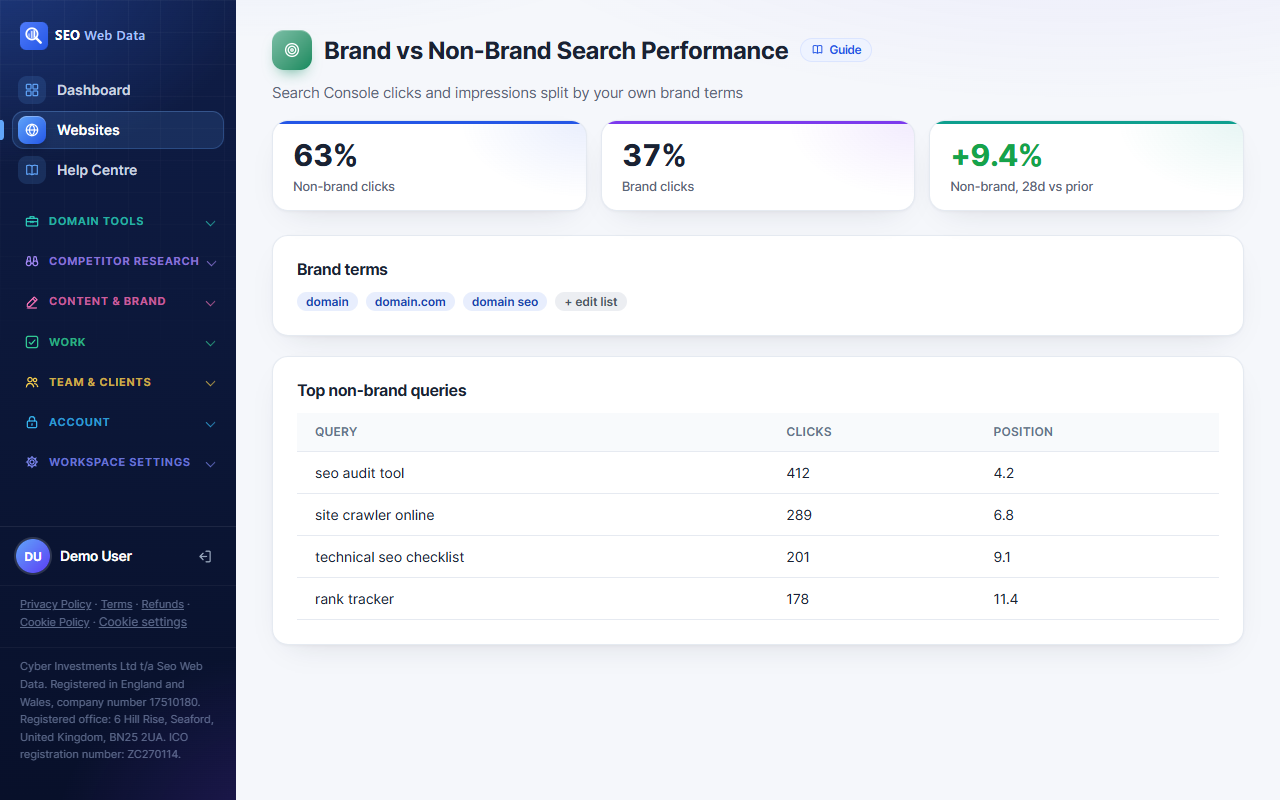
Not every click in Search Console means the same thing. Someone searching your brand name already knows who you are; someone searching a generic term is discovering you for the first time. This splits your synced Search Console data by a short, editable list of your own brand terms so you can see genuine non-brand growth separately from brand searches that would likely happen anyway.
What's included
- Clicks and impressions split into brand vs non-brand
- An editable brand-terms list, pre-filled with a sensible starting guess
- Top non-brand queries and their current position
Not every click in Search Console means the same thing. Someone searching your brand name already knows who you are; someone searching a generic term is discovering you for the first time. This splits your synced Search Console data by a short, editable list of your own brand terms so you can see genuine non-brand growth separately from brand searches that would likely happen anyway.
How it works
When you connect Search Console, this app pre-fills a short brand-terms list from your domain and site title — you can edit it at any time, and nothing is written without your say. Every synced query is then checked against that list: a match is brand, everything else is non-brand. The split is shown as a summary alongside a table of your top non-brand queries and their position, since those are usually the ones worth the most attention.
It's a straightforward text match against the query strings Search Console already gives you — no new data collection, no new Google permission, and no attempt to guess intent beyond what the query itself contains.
Why it matters
A site's total organic clicks going up can hide a shrinking non-brand share — meaning fewer new people are finding you through search, even while existing awareness (people typing your name) keeps the total looking healthy. Separating the two gives a much more honest read on whether SEO work aimed at new audiences is actually working, which is usually the thing content and technical SEO are trying to move in the first place.
This sits on the existing Search Console report page, next to the queries, pages and opportunity data already there — one more lens on data you're already syncing, not a separate report to check.
Works alongside opportunities worth acting on and the wider Keyword Rank Tracking toolset.
Frequently asked questions
How does it decide what counts as a brand term?
It starts from a guess based on your domain and site title, then you edit the list yourself — nothing is auto-applied without you seeing it first.
Does this need a new Google connection or permission?
No — it reuses the exact same Search Console connection and synced query data every other Search Console feature here already uses.
Can I have more than one brand term?
Yes, the list can include your domain, your brand name, common misspellings, or short brand phrases — as many as make sense for your business.
Will this affect my keyword rankings or tracked keywords?
No, it only splits the reporting view of already-synced Search Console data — it doesn't change tracked keywords or rankings anywhere else in the app.