
PPC research
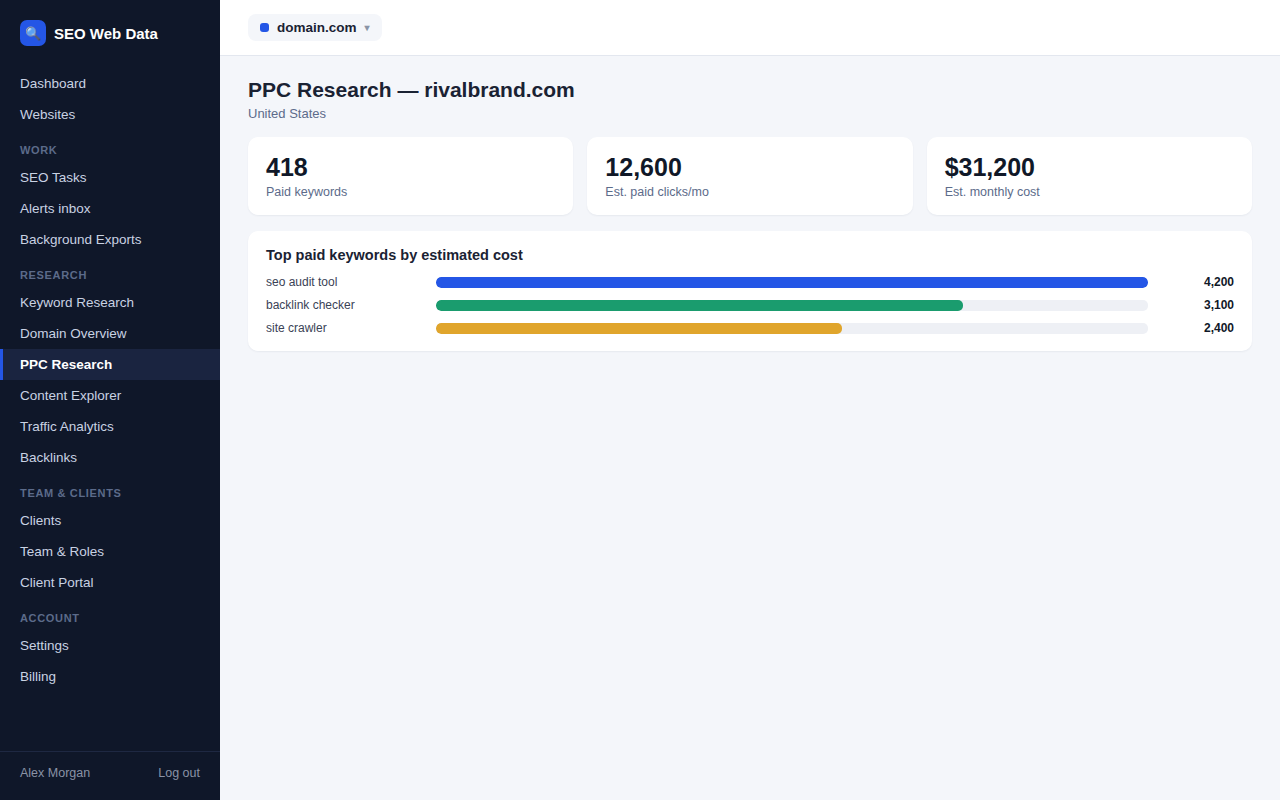
See which keywords any domain is bidding on in paid search, the actual ad copy they're using, and an estimate of their monthly paid clicks and spend — useful competitive context alongside their organic performance.
What's included
- Paid keywords with estimated volume and CPC
- Captured ad copy (headline and description)
- Estimated monthly paid clicks and cost
Look up any domain to see the keywords it's bidding on, the ad position and copy seen for each, and an estimate of what that traffic would cost per month — a quick read on whether a competitor is investing heavily in paid search or relying on organic alone.
Individual keyword lookups are also available, showing which domains are bidding on a specific term and the ad copy each one is running for it.
How it works
A domain lookup returns paid keyword count, estimated monthly paid clicks and cost, and a list of ad copy actually seen, with the keywords each ad appeared for. Results are sortable by search volume, estimated cost, or CPC, and exportable as CSV.
Why check a competitor's paid search
- Full-funnel context — pair this with domain overview's organic data for the complete picture of where a competitor's traffic comes from.
- Ad copy ideas — see the actual headlines and descriptions a competitor is running, not just that they're advertising.
- Budget signal — estimated monthly spend is a useful proxy for how seriously a competitor is investing in a given market.
Reuses your domain overview
If you have already run a domain overview for the same domain and country in the last week, its paid-search totals are reused, so one fewer data call is made and one fewer unit of your allowance is used. The list of keywords a site bids on is always fetched on its own.
Frequently asked questions
Can I see the actual ad text a competitor is running?
Yes — captured ad headlines and descriptions are shown alongside the keywords each ad appeared for.
Is the spend figure exact?
No — it's an estimate based on keyword volume and CPC data, clearly labelled as such, not a confirmed budget figure.
Can I look up results for a single keyword instead of a domain?
Yes — a keyword-level lookup shows which domains are bidding on that specific term and the ad copy each is using.
Why did a PPC lookup use fewer units?
Because a recent domain overview for the same domain already held the paid-search totals, so they were reused instead of fetched again.