
SSL & website checks
Check the front door of any website: its certificate, encryption, security headers, redirects and speed of response, with plain-English guidance on what to improve.
What's included
- SSL/TLS certificate and protocol checks
- Bulk certificate expiry for up to ten hosts
- Graded security headers
- Redirect chain, status code and response time
Visitors and search engines both judge a site by how it behaves when they first connect. A certificate warning, a slow first response or a tangled chain of redirects costs you traffic before a page is even shown.
These tools examine that first connection from the outside, exactly as a visitor’s browser would.
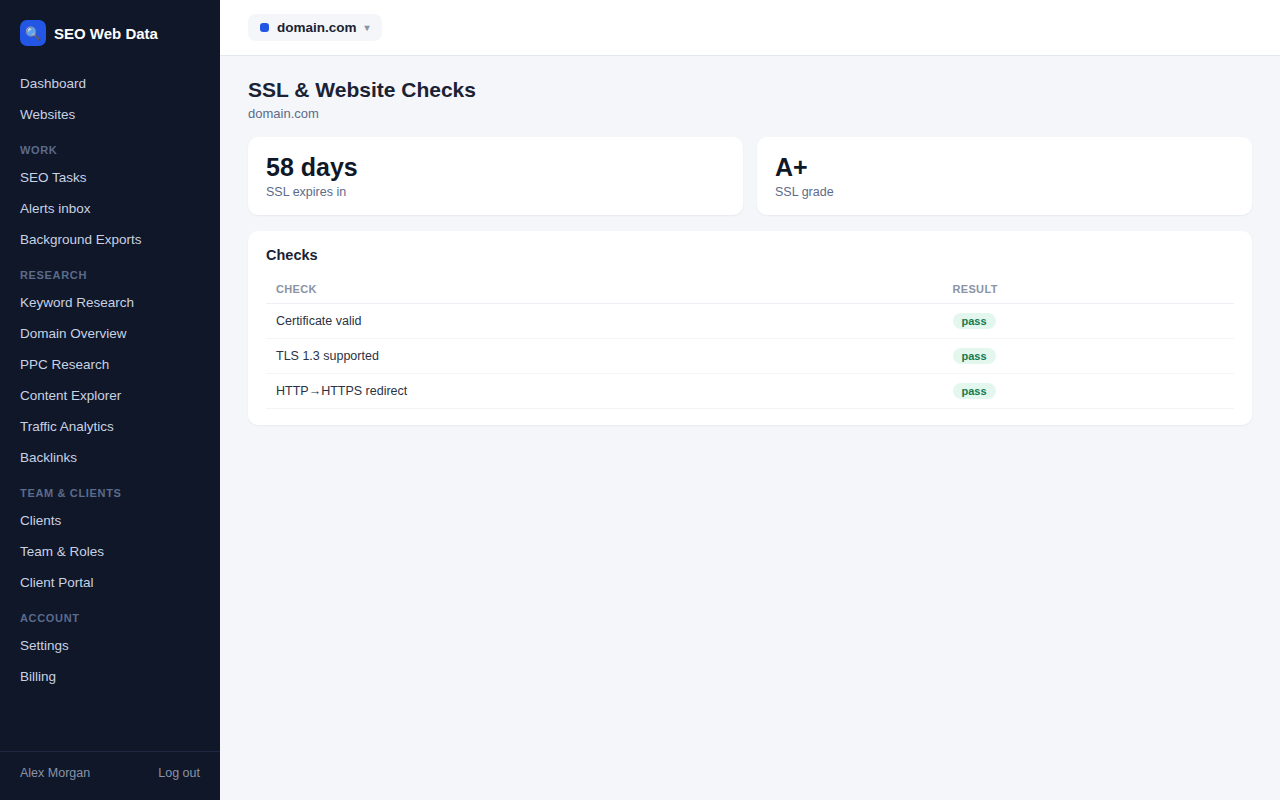
Certificates and encryption
The SSL checker shows whether the certificate is valid and complete, which names it covers, when it expires and which encryption versions the server accepts. Outdated versions are flagged, so you know when a server still allows connections that browsers consider unsafe. To keep on top of renewals, check up to ten hosts at once and see all their expiry dates in a single table.
Headers, redirects and speed
- Security headers are graded, with each missing or weak header explained and the fix suggested.
- Redirect chain follows every hop from the address you typed to the final page, showing each status code, so you can spot long chains and wrong redirect types that dilute ranking signals.
- HTTP status reports the response for up to ten addresses at a time.
- Response time breaks a visit into connection, encryption handshake and first byte, so you can see where time is lost.
- HTTP/2 and HTTP/3 shows whether the faster modern protocols are available.
Housekeeping files
The robots.txt tester checks whether a specific address would be allowed or blocked for a given crawler, using the same matching rules search engines follow, including wildcards. A single misplaced line in that file can hide an entire section of a site from search, so it’s worth testing changes before they go live.
The security.txt check confirms you publish a contact point for people who find vulnerabilities, and the HSTS preload check tells you whether a domain qualifies for browsers’ built-in list of always-secure sites.
For ongoing protection, pair these checks with uptime, SSL & performance monitoring, which alerts you automatically.
Situations where it saves the day
Most of these problems are quick to fix once you know about them. The value of the tools is in finding them early and in seeing the cause clearly.
- A “not secure” warning appears and you need to know whether it’s an expired certificate, a missing name or an incomplete chain.
- Rankings dip after a site move and you suspect a redirect chain, a temporary redirect used where a permanent one was intended, or a stray block in robots.txt.
- A page feels slow and you want to know whether the delay is in the connection, the encryption handshake or the server itself.
- A client asks about security and you want a graded report on their headers to walk through together.
Because each check looks at a website from the outside, it shows what visitors, crawlers and browsers actually experience, and that isn’t always what the team behind the site expects. Run the checks before and after a change to confirm that the fix worked and nothing else moved.
Turning findings into fixes
Each result page ends with the specific changes that would improve it, written for the person who has to make them. If a security header is missing, you’ll see its name and what it protects against. If a redirect chain is longer than necessary, you’ll see which hop to remove. Hand the page to your developer or host and the request is unambiguous, which usually means the fix is done sooner.
All of these checks can be re-run in seconds, so verifying a change is as easy as finding the problem.
Frequently asked questions
Can it warn me before a certificate expires?
The checkers show days remaining on demand. For automatic alerts, use uptime, SSL & performance monitoring.
Does it test ports or scan servers?
No. Checks connect only to the standard web ports a visitor would use.
Why does response time matter?
A slow first byte delays everything that follows, and speed is a factor in both user experience and search performance.
Can it check pages behind a login?
No. The tools request pages the way an anonymous visitor would.
Which encryption versions does it look for?
It reports which TLS versions the server accepts, from the obsolete ones through to the current ones, so you can see whether anything outdated is still switched on.