
Domain & IP information
Find out who a domain is registered with, how old it is, when it expires and what lives behind an IP address — using up-to-date registry data, not stale copies.
What's included
- Registration (WHOIS/RDAP) lookup with status codes explained
- Domain age and bulk expiry checks
- Availability and TLD information
- Subdomain finder, IP address and hostname lookups
Knowing the facts about a domain helps with almost every SEO task: judging an expired domain’s history, planning renewals across a client portfolio, or working out what a competitor has set up.
Enter a domain and get its registration record in a tidy layout, with the technical status codes translated into what they actually mean.
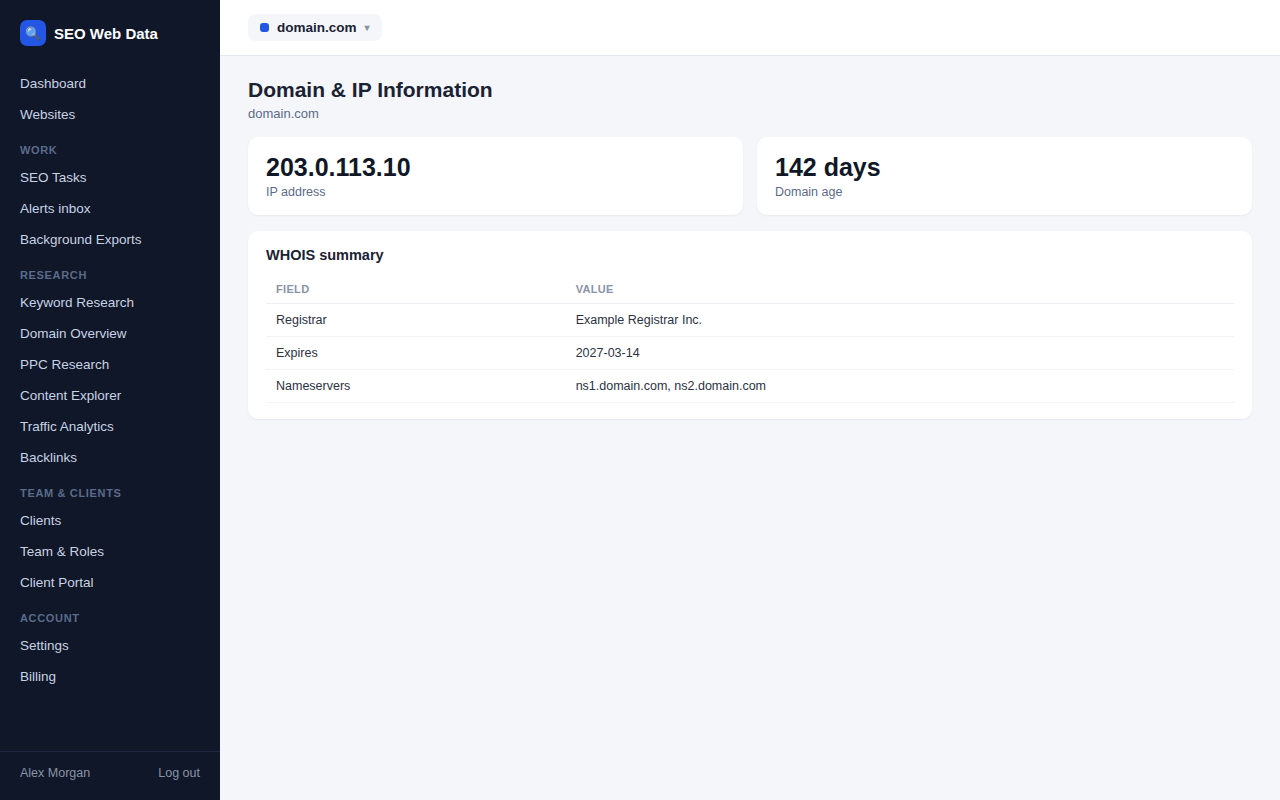
Registration and expiry
The registration lookup reads data straight from the registry that manages the domain, and shows the registrar, the created, updated and expiry dates, the nameservers, whether DNSSEC is enabled and an abuse contact. Status codes such as transfer locks are explained in plain language, so you know whether a domain is protected from unauthorised transfer.
- Domain age gives a quick sense of history and maturity.
- Expiry checker handles up to ten domains together, ideal for agencies keeping an eye on client renewals.
- Availability tells you whether a name is free to register.
- TLD information explains the registry and rules behind an extension.
Discover subdomains
The subdomain finder tests around 150 common names, such as www, mail, blog, shop, api and staging, and lists those that exist. It recognises wildcard setups so you won’t be shown hundreds of false results. It’s a fast way to map out a site’s footprint or find old subdomains you’d forgotten, which pairs well with the DNS security audit.
IP addresses and hostnames
Enter an IP address and see whether it’s an ordinary public address or a special-purpose range, the hostname it points back to, and the address written in the other common notations. Enter a hostname and see every address it resolves to. Together with reverse DNS, these show you what’s really behind a name.
Practical uses
Registration and network facts turn up in more SEO and site-management tasks than you might expect.
- Vetting a domain you’re thinking of buying, or a link partner you’re thinking of trusting, by checking how long it has been registered.
- Protecting renewals by checking expiry dates across a client portfolio before anything lapses.
- Finding a domain’s host or registrar so you know who to contact to make a change.
- Checking a name is free before you commit to a brand or campaign address.
- Mapping a site’s footprint by finding its subdomains and the addresses behind them.
All of these use public information, and the tools show it in a consistent layout so you can compare one domain with another without learning each registry’s quirks. Lookups for different extensions are handled automatically; you simply type the domain.
Reading registration records without the jargon
Raw registration records are full of abbreviations and codes that mean little to most people. Here, every status code is translated into a sentence: whether the domain is locked against transfer, whether it’s in a renewal grace period, or whether it’s pending deletion. Dates are shown as both calendar dates and time remaining, and the nameservers, registrar and DNSSEC status are laid out in clearly labelled rows.
For IP addresses, the results state plainly whether an address is publicly reachable or reserved for private use, so you can tell at a glance whether it’s the address you expected to see.
Together, these details give you the background to any domain in one quick look, whether it’s your own, a client’s or one you’re researching.
Frequently asked questions
Why is some registration information hidden?
Many registrars redact personal contact details for privacy. The technical and date information is still shown.
How current is the data?
It’s requested from the registry at the time you search, rather than taken from a stored copy.
Can it tell me who owns an IP address?
It shows the hostname and network details available in public DNS, but it doesn’t identify individual owners.
Is the subdomain finder exhaustive?
No. It tests common names, so it finds the usual suspects quickly but can’t list every subdomain that exists.
Does a young domain mean it’s untrustworthy?
Not necessarily. Age is one useful signal among many, and a new domain from a reputable business is perfectly normal. Use it as context rather than a verdict.