
Client portal guide
A short, white-labelled guide lives inside the client portal itself, so a client who isn't sure how to sign in or what a panel means has somewhere to look before they email you.
What's included
- Sign-in, invitations and password help
- A tour of finding your way around the portal
- Only the sections your agency switched on
The guide only ever describes what a given client can actually see — a section your agency hasn't switched on for them is simply left out, so nothing in the guide points at a feature that isn't there. A "Portal guide" button sits in the portal header for clients to open any time.
Because the portal is already white-labelled, the guide is too: it never mentions this platform by name to a client, and it explains that a forgotten password means asking the agency, since clients don't have self-service password reset.
How it works
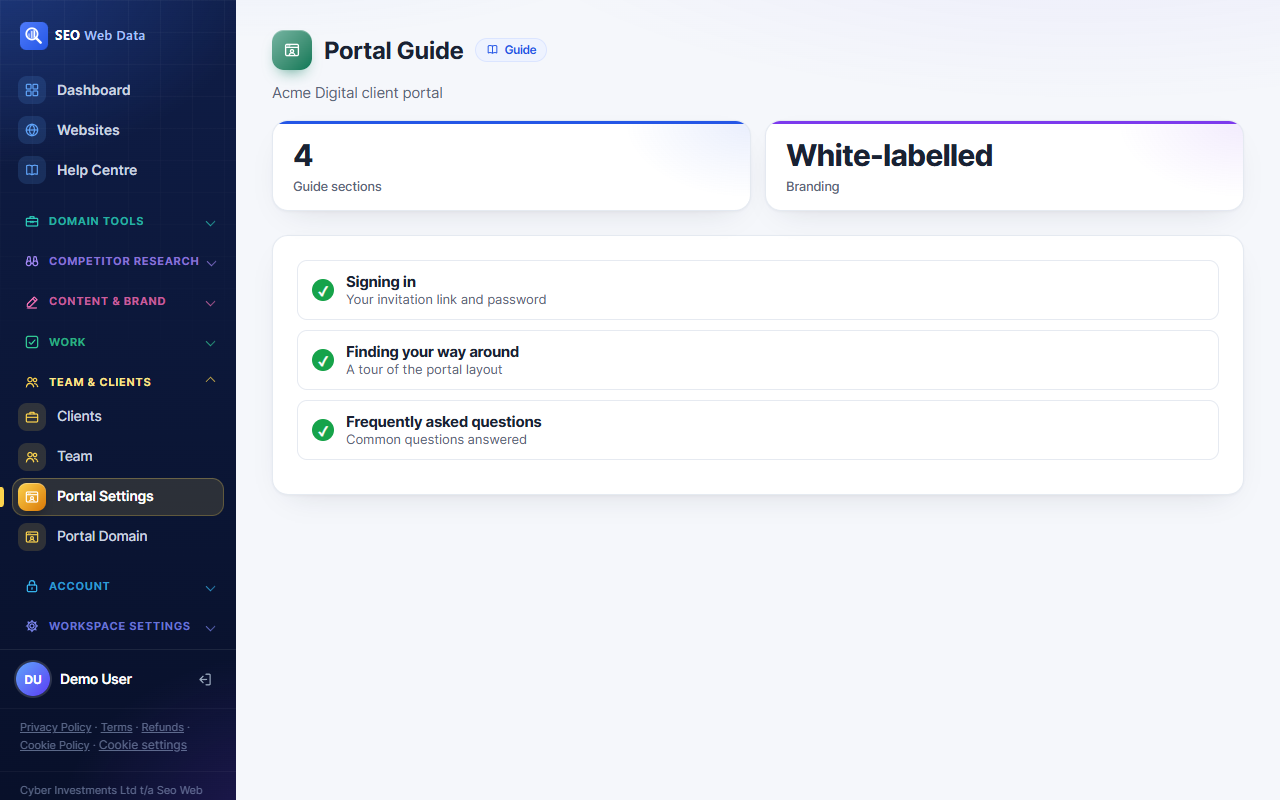
The guide is short by design — a sign-in section, a “finding your way” tour of the portal's own layout, a short FAQ, and nothing else. It's written once and shown consistently to every client, in page order matching what's switched on for their account.
Why this matters for agencies
- Fewer basic support requests — “how do I log in” and “what does this score mean” are answered before a client has to ask.
- Consistent client experience — every client sees the same clear explanation, not whatever got typed in an email last time.
- Stays on-brand — the guide inherits your white-label settings, so it reads as part of your service, not a third-party tool.
Frequently asked questions
Can I customise the guide's wording?
The guide's structure is fixed, but it only ever shows the sections your agency has switched on for the client portal, so its content automatically matches your setup.
Does a client need a separate login to see it?
No — it's reached from a button in the portal header a client already sees once signed in to their normal client login.
What if a client forgets their password?
There's no client self-service reset by design; the guide tells them to ask their agency, and staff can remove and re-invite the client from the team area.